
Spotify is one of the world's most popular music streaming services, but in most regions, Spotify Premium is still billed monthly rather than yearly. So, can you get a Spotify yearly plan and pay for 12 months at once? The options are now quite limited, especially since Spotify gift cards are no longer available for purchase. In this article, we'll explain the current options and show you another way to keep your favorite Spotify playlists available for offline listening.
Part 1: Can You Get a Spotify Premium Yearly Plan?
If you're looking for a Spotify yearly plan, the first thing to know is that Spotify does not offer a standard annual subscription in many regions. Most users pay for Spotify Premium on a monthly basis, and the available plans and payment options can vary by country or region.
In the past, buying a 12-month Spotify gift card was a popular way to pay for a full year of Premium at once. However, Spotify gift cards are no longer available for purchase. So if you don't already have one, this option is no longer a practical way to get Spotify Premium for a year.
1.1 Can You Still Use a Spotify Gift Card for 12 Months of Premium?
Yes, but only if you already have an unused Spotify gift card. Although Spotify has stopped selling new gift cards, previously purchased cards are still valid and can be redeemed for Premium Individual.
Spotify also allows you to stack up to 18 months of Premium time on your account. So, if you already have enough valid gift card credit, you can still use it to cover around a year of Spotify Premium without monthly payments.
*Note: Be careful with third-party websites that still claim to sell Spotify gift cards. Since Spotify has officially stopped selling new gift cards, we don't recommend relying on old product listings or unusually cheap gift card offers.
1.2 How to Redeem an Existing Spotify Gift Card
If you already have a valid Spotify gift card, redeeming it is simple:
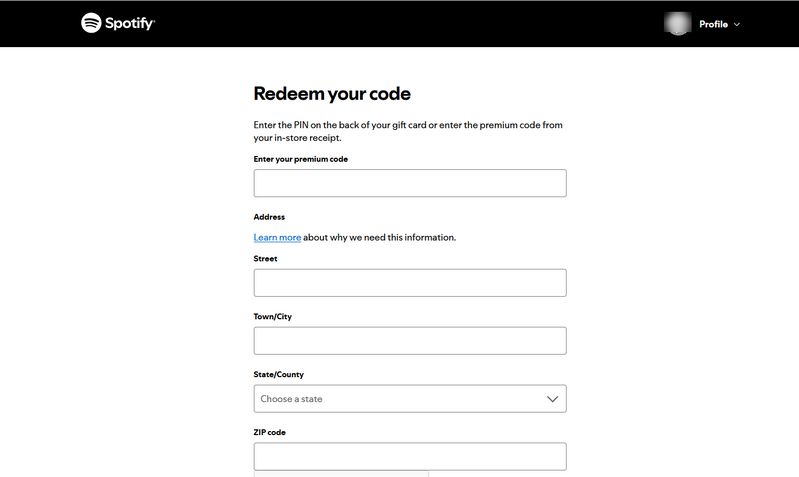
Step 1 Log in to your Spotify account and visit spotify.com/account/redeem.
Step 2 Enter the code from your gift card. If you have a physical card, gently scratch off the PIN cover to reveal the code.
Step 3 Click "Continue", check the details, and then click "Redeem".
*Note:
- Spotify gift cards can only be used with Premium Individual. They can't be applied to Premium Student, Family, Duo, trial offers, or Basic plans.
- The country or region of your Spotify account must match the country or region where the gift card was purchased.
- If the gift card was purchased from a retail store, it must have been activated by the cashier.
- You can stack up to 18 months of Premium time on your Spotify account.
- If you're already on Premium Individual, the gift card takes effect from your next payment date. If you're upgrading from Spotify Free, it takes effect immediately.
Part 2: How to Save Your Favorite Spotify Playlists Forever Without Premium?
As mentioned above, getting a Spotify yearly plan is no longer as easy as it used to be, especially since new Spotify gift cards are no longer available for purchase. If your main goal is to keep your favorite Spotify songs for offline listening without paying for Premium month after month, there is another option to consider.
TunePat Spotify Converter can convert Spotify songs, albums, playlists, and podcasts to common audio formats such as MP3 and FLAC. It supports batch conversion, up to 320 kbps audio quality, and conversion speeds of up to 40X while keeping important ID3 tags. Once converted, you can save the audio files locally and transfer them to other compatible devices for offline playback without using the Spotify app.
TunePat Spotify Converter
TunePat Spotify Converter enables users to convert and get Spotify songs, albums, playlists, podcasts, radio, and audiobooks from the Spotify app or web player and then save them permanently.
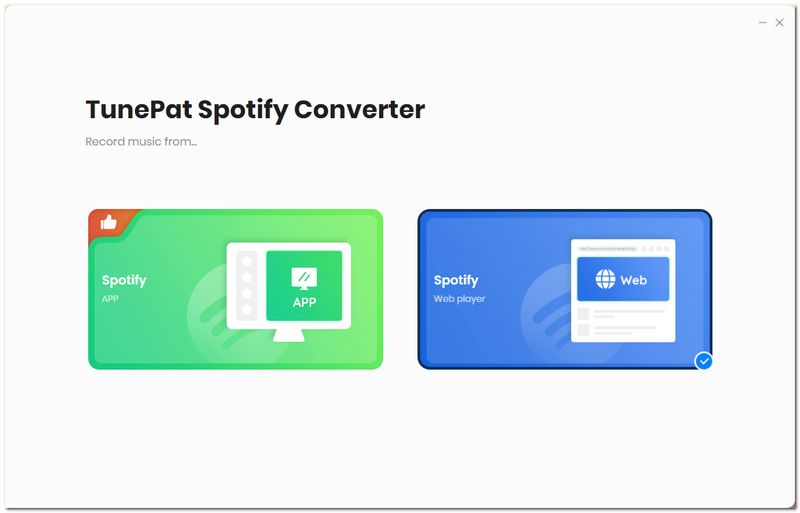
Step 1 Open TunePat Spotify Converter on your computer. Generally, it defaults to load and convert songs from the Spotify app. If you don't have the Spotify app downloaded on your computer, you need to download one or just click on the "Switch to Web player" to get songs from the embedded Spotify web player window.
You can click on the "Load App" or "Load Web player" window to open the related window manually. Then you need to log in to your Spotify Free or Premium account according to the on-screen tips.
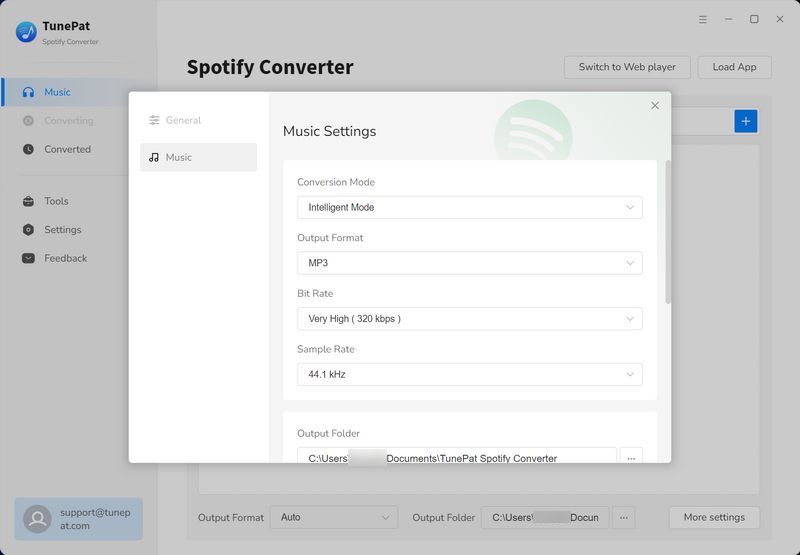
Step 2 You can click "More settings" from the bottom menu bar of the current interface, or select the "Settings" tab from the left menu bar to enter the interface for customizing output settings. You can select the output format, bit rate, sample rate, etc.
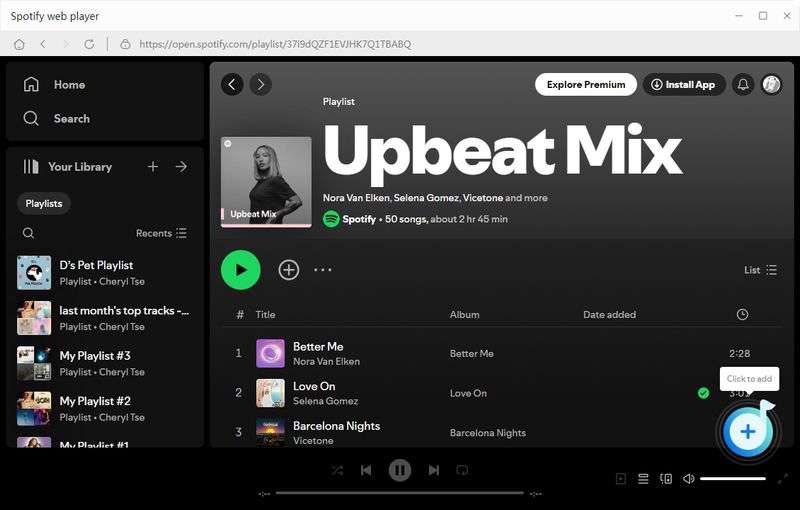
Step 3 After that, go back to your Spotify app or the web player window. Search for the song you want to download or open the targeted album, playlist. Tap on the blue "+" icon in the bottom right corner to analyze all songs on the current page. Then, you will see a pop-up with all songs displayed.
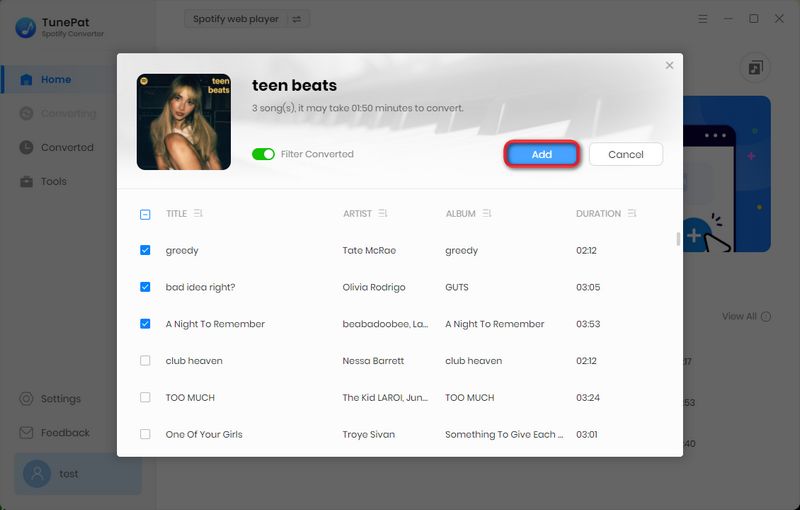
Step 4 You can see that all songs are selected by default. If you don't need any, you can manually uncheck them. Then click "Add" to go to the next step. If there are still songs that have not been selected, you can click Add More to continue selecting. After all are selected, click "Convert" to start the conversion.
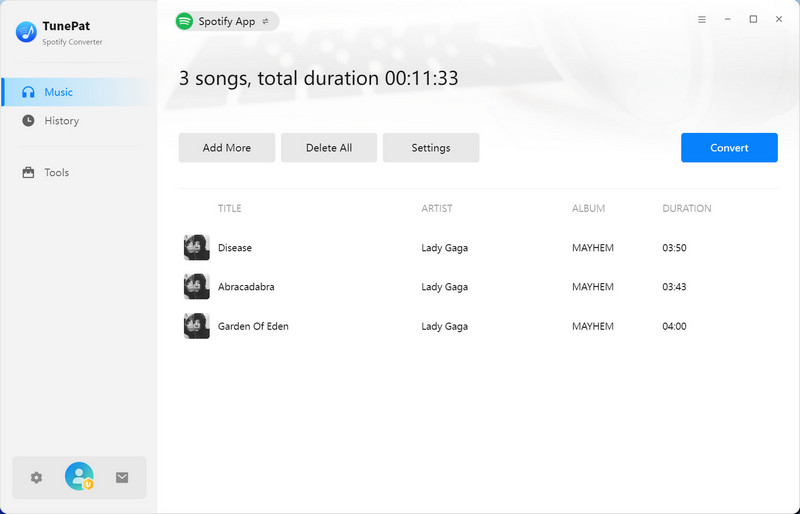
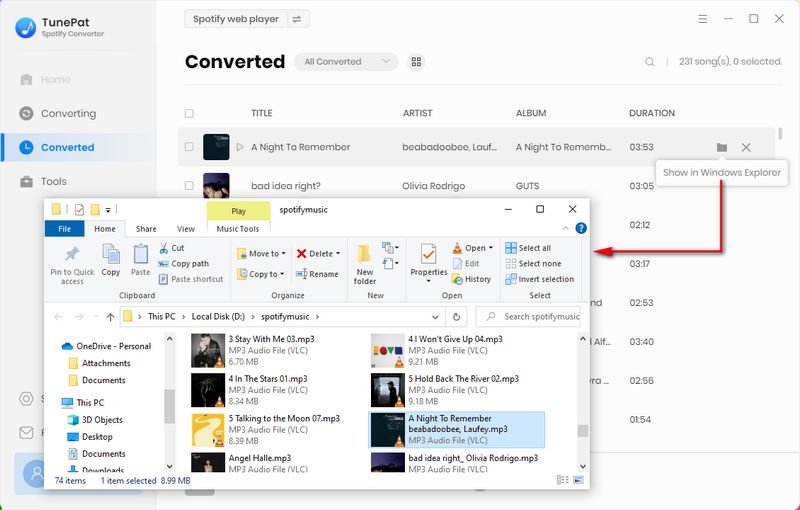
Step 5 Wait patiently for the conversion to complete. The output folder will usually pop up automatically. You can click it to play it using your local media player. You can also go to the "History" module, browse the conversion records, and double-click to start playing the song. Now, you will have ad-free Spotify songs forever, even if you only have a Spotify Free account.
Conclusion:
So, can you get a Spotify yearly plan? In most regions, Spotify still mainly offers monthly Premium subscriptions, and new Spotify gift cards are no longer available for purchase. If you already have a valid gift card, you can still redeem it for Premium Individual. Otherwise, you'll need to choose from the subscription and payment options currently available in your region.
If your main goal is to keep your favorite Spotify songs for offline listening without maintaining a Premium subscription, TunePat Spotify Converter offers another option. It lets you convert Spotify songs, albums, playlists, and podcasts to common audio formats and save them locally for offline playback on compatible devices. Click the "Download" button below to give it a try.
Olivia Anderson
Senior Writer