
Spotify has launched Spotify Wrapped on December 3, 2025. However, many people found their Spotify Wrapped not working. What's going on? Don't worry. This article will help you comprehensively analyze the reasons behind this problem and the corresponding solutions. It will also provide you with a tool to download your favorite Spotify Wrapped songs to your device. Read on to learn more.
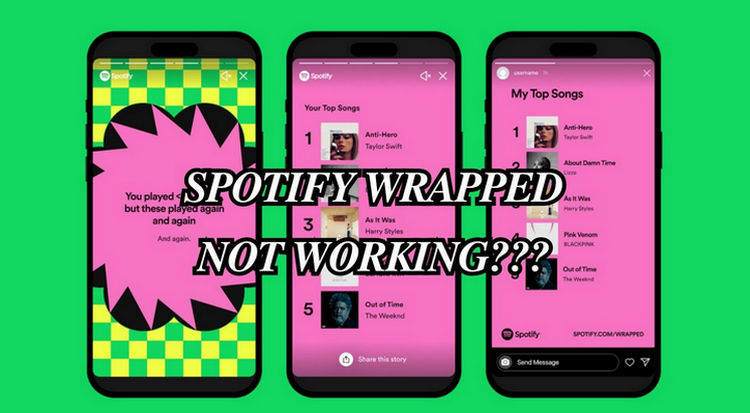
Part 1: Why Spotify Wrapped 2025 Not Working?
- Not Eligible for Spotify Wrapped
- Regional Availability Restrictions
- Outdated Spotify Version
- Disabled Animation Access on Device
- Unstable Internet Connectivity
You may not meet the conditions for Spotify Wrapped to collect data. First, you must have a valid Spotify account. In addition, you have to listen to songs more than 30 songs from 5 different artists.
You're not in a region where Wrapped is available. Keep in mind that Wrapped is not supported in all places around the world.
To access Spotify Wrapped, ensure your device is running the latest version of Spotify. If you are using an outdated version, Spotify Wrapped may not work.
Sometimes the animation settings of your phone are off, so Spotify Wrapped cannot load.
If you have an unstable or weak internet connection, Spotify Wrapped may not show up.
Regional restrictions, outdated app versions, or unstable internet may prevent Spotify Wrapped 2025 from showing up. Even if your Wrapped isn't working, you can still enjoy your favorite songs offline. Download TunePat Spotify Converter to save all your Wrapped tracks and listen anytime, anywhere!
Part 2: How to Fix Spotify Wrapped 2025 Not Working?
Problem 1: Spotify Wrapped Not Showing Up
Some users report that their Spotify Wrapped is not appearing on their Spotify app homepage or in search results.
Fix 1 If your Spotify Wrapped does not show up in your homepage, you can try to search for "Spotify Wrapped" in the app's search bar.
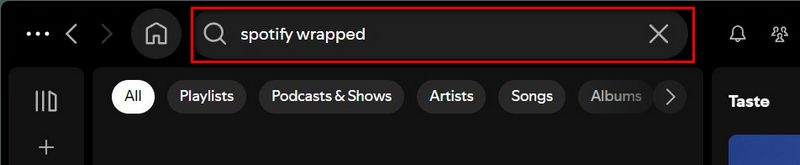
Fix 2 Check if Spotify Wrapped has been released yet. It usually launches in early December, around the 1st or 2nd.
Fix 3 Check if Spotify Wrapped is available your region. If your area is restricted, you may use a VPN to get access to Spotify Wrapped.
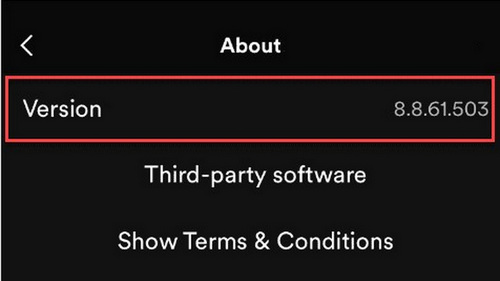
Fix 4 Update your Spotify to the latest version. You can check your Spotify version by clicking "Settings" and "About". An old version of Spotify may cause a Spotify Wrapped not showing up. Launch the App Store app on your iPhone to find Spotify and check to see if an update is available.
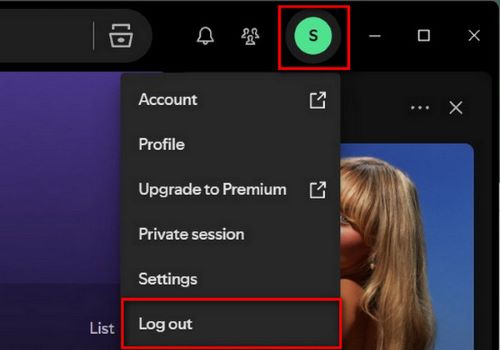
Fix 5 If your Wrapped is accessible on one device but not on another. Please check you are the same account on these devices and the account is synced. Try logging out and logging back in on the device where Wrapped is not showing up.
Fix 6 Ensure you have listened to enough music to meet the minimum listening requirements for Wrapped to generate data.
Problem 2: Spotify Wrapped Not Loading
Many users say that Spotify's interface is unresponsive or not fully displayed.
Fix 1 Restart your device to clear any temporary issues causing the error.
Fix 2 You can check the animation settings on your phone. Animations might be turned off on your phone. You need to turn on animations for your Spotify Wrapped to load smoothly.
Fix 3 Check if it is your internet connection slow so that Spotify Wrapped cannot load.
Fix 4 You can try to delete the cache of Spotify to resolve, but this will result in losing all downloaded tracks and require you to re-enter your login credentials. Go to your phone's settings and search for the Spotify app. Scroll down and you'll see the "Clear Cache" option.
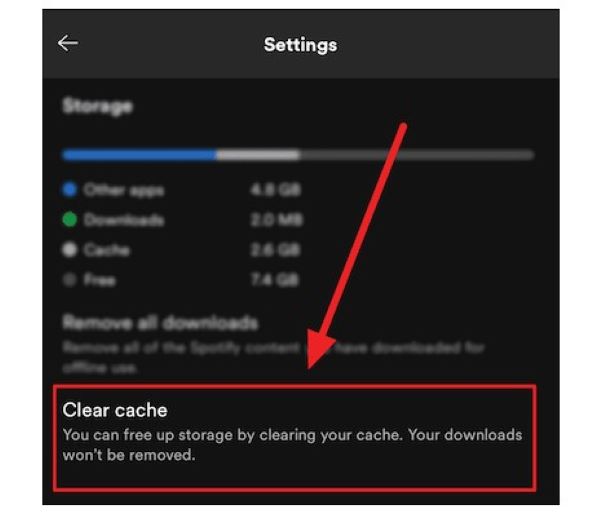
Fix 5 You can also try to uninstall Spotify and re-install it to see of it works.
Problem 3: Spotify Wrapped Playlists Not Playing
Many users encounter that they cannot play Spotify Wrapped playlists.
Fix 1 Try playing the playlist on a different device to exclude any device-specific issues.
Fix 2 Refresh the playlist by removing it from your library and re-adding it.
Part 3: How to Download Spotify Music for Offline Playback?
After you review Spotify Wrapped, do you want to download these songs for offline playback? What if you are free users? Now, we can offer you an ultimate solution to fix it. TunePat Spotify Converter is a converter to help you download Spotify Music to your computer for offline playback. With it, you can listen to your Spotify Wrapped songs offline without restrictions. Let’s see how to operate it. Remember to download and launch the TunePat Spotify Converter first.
TunePat Spotify Converter
TunePat Spotify Converter enables users to convert and get Spotify songs, albums, playlists, podcasts, radio, and audiobooks from the Spotify app or web player and then save them permanently.
Step 1 Launch TunePat Spotify Converter
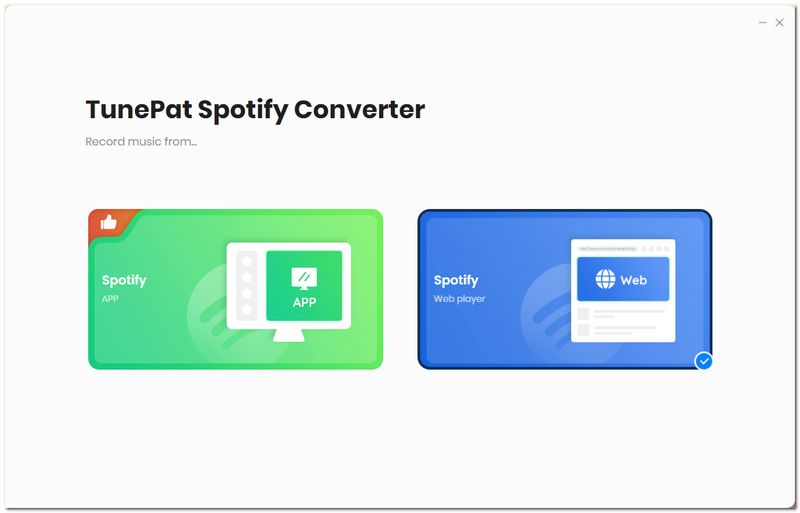
Once you open TunePat, you can choose to download music from two sources: the Spotify App or the web player. Click on the "Spotify App" to switch. Log in to your Spotify account to load your music library.
Step 2 Change Settings
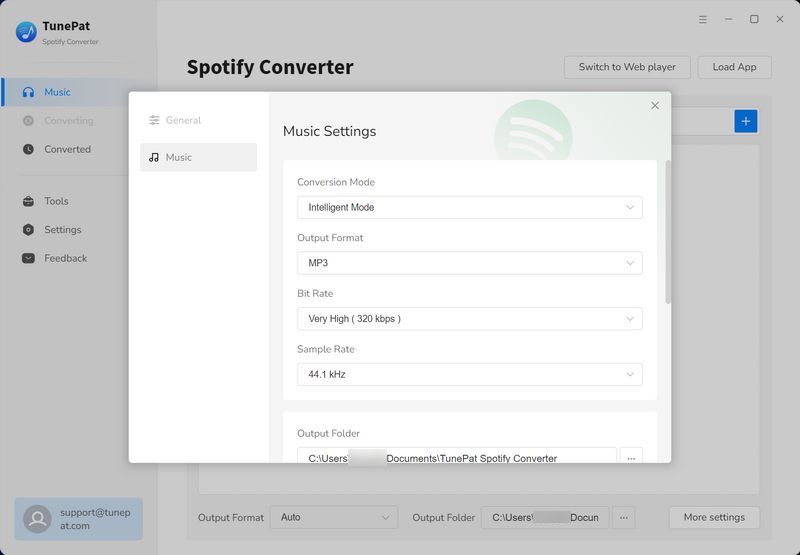
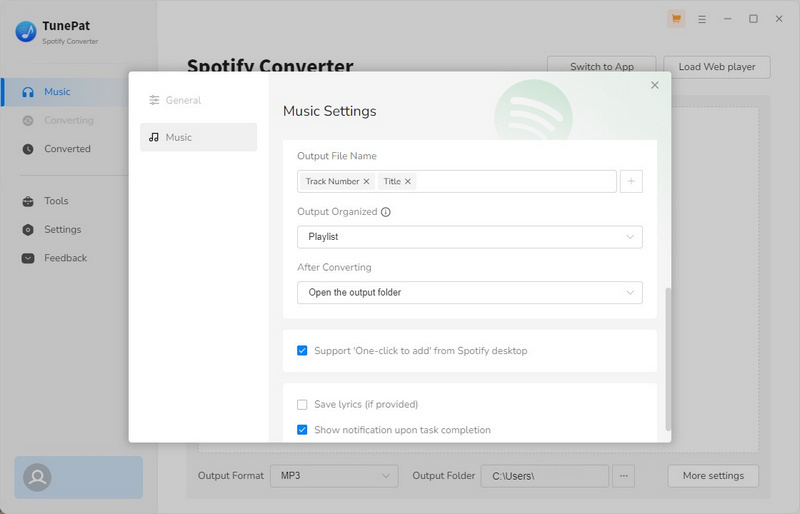
Go to the "Settings" on the left, and you can customize the conversion mode, output format, audio quality, output file name, etc. Here you can download lyric files with the song. Since the Save lyrics (if provided) button is disabled by default, so you have to turn on it in the settings.
Step 3 Add Music from Spotify
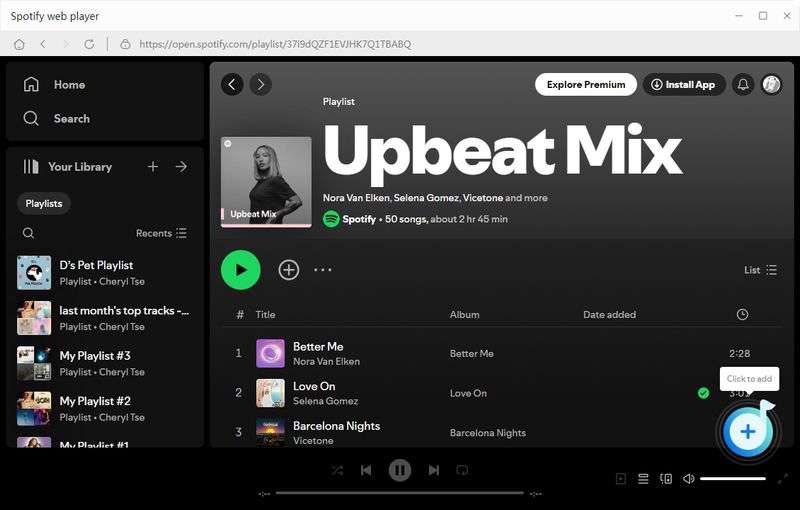
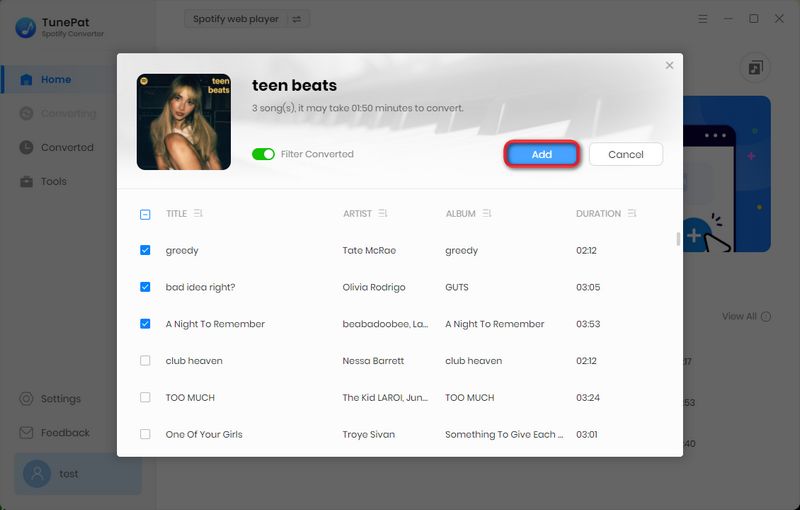
After changing the settings, now you can go back to the Spotify app or Spotify web player. Please select some music you like in the albums or playlists, open it and click the "+" button in the lower right to add music to TunePat. TunePat will soon load all the songs in a list automatically. All you have to do is selectively choose the desired songs and click "Add" to continue.
Step 4 Convert Music
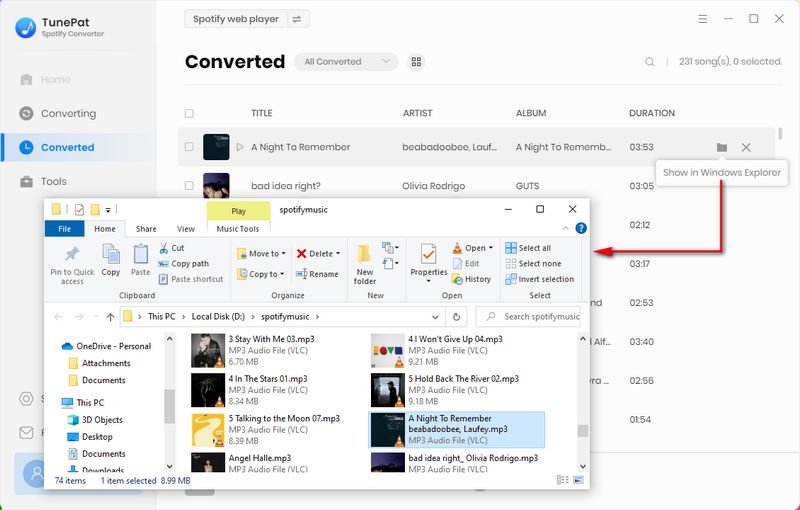
Here you will be given some buttons to choose from. Click "Add More" will allow you to add more music from playlists or other albums. If you are ready to convert music, just click the "Convert" button to start converting music. Please wait until it is complete. Once the songs are converted, the folder will pop up automatically, where you can find the songs downloaded and converted. Now, you have successfully downloaded Spotify Wrapped songs to your computer. You can play them offline without limitations.
Part 4: FAQs About Spotify Wrapped
Q1: How to Find Your Spotify Wrapped 2025?
Q2: What's New in Spotify Wrapped 2025?
- Listening Age: Compares your musical tastes to others in your age group, focusing on the release years of the tracks you listen to most.
- Top Song Quiz: An interactive quiz where you guess which track soundtracked your year.
- Your Author Clip: Includes messages from authors, so you may hear from the writer behind your favorite audiobook. Clips include authors like Dan Brown, James Patterson, Abby Jimenez, and more.
- Top Artist Sprint: Visualizes how your top five artists shifted in your personal rankings month by month.
- Fan Leaderboard: Shows where you rank among your top artist’s listeners worldwide, based on total minutes listened.
Q3: Can free Spotify users access Wrapped?
A: Yes! Both free and premium users can access Spotify Wrapped, but some features may be limited to premium accounts only.
Q4: Can I download my Spotify Wrapped songs for offline listening?
A: Yes. You can use tools like TunePat Spotify Converter to download Spotify Wrapped songs for offline playback, which is even available for Spotify Free users.
Conclusion:
In this article, we have listed 3 common situations in which Spotify Wrapped not working and offered 13 solutions to help you fix the problem. We had even brought in a TunePat Spotify Converter to help you get your favorite songs from the Wrapped using any of these free accounts. Convert and download these songs, then you can transfer the converted music to any device for offline playback without limit.
Dereck Martin
Staff Writer