5 Best Ways to Download Music from Deezer to Computer & Mobile
 By Delilah Rene
Deezer Tips
Updated on 8/6/2026
By Delilah Rene
Deezer Tips
Updated on 8/6/2026
Online music streaming has changed the way we consume and listen to music. There are many available music streaming platforms like Spotify, Amazon Music, and more. Deezer, launched in 2007, is a French online music streaming service with about 120 million licensed tracks in its library. This service is now available for Web Player, Android, iOS, macOS, Windows, Windows Mobile, and BlackBerry OS.
Deezer is funded via a subscription model. That means that customers can listen to Deezer songs for free via a freemium but ad-supported model or pay a monthly fee for a subscription-based model. You can upgrade to the Deezer Premium package for €11.99 per month. With a paid Deezer account, you can enjoy your favorite tracks offline. Just download them once and listen offline if you want anywhere. Today we gonna show you the top five methods for downloading Deezer music to a computer, iPhone, or Android.
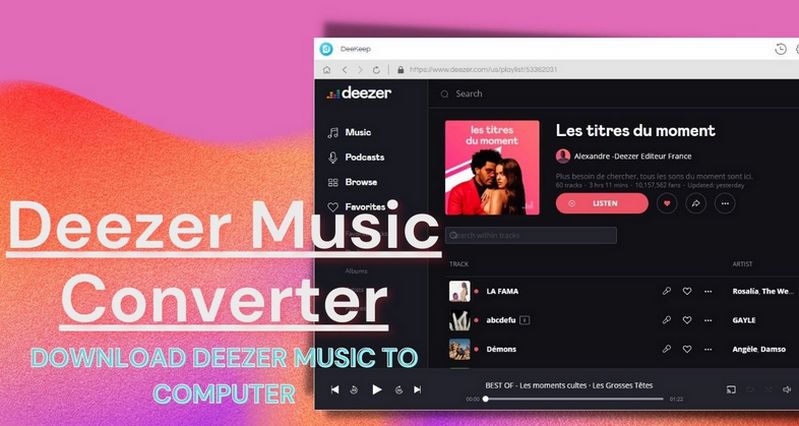
Method 1: Download Music via the Official Deezer App (Premium & HiFi)
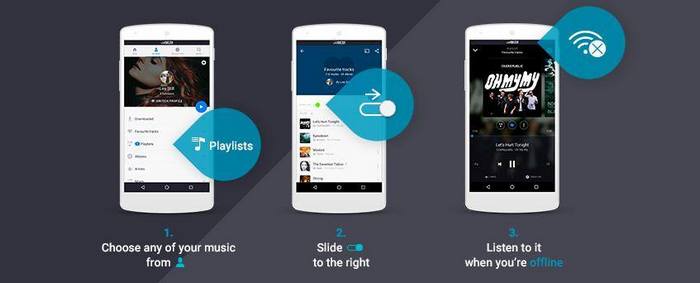
How to Download Playlists on Deezer Mobile
Like any other streaming music app, Deezer also allows users to listen to songs offline through its mobile app. This is to make it possible for users to listen to music without being connected to the internet. Of course, offline listening songs that are saved in this way can only be played through the app, which means you can't transfer them to other MP3 players or PSPs for playback.
In addition, the offline listening function is only available for paid users. And meanwhile, you can only download albums, playlists, audiobooks, or podcast episodes instead of getting individual tracks, unless you add them to a playlist.
Here are simple steps to do so:
Step 1 Open your iPhone or Android, then run Deezer Music app. Log in to your Deezer account with your account details.
Step 2 Please note that if you need to download independent tracks, you are suggested to add the target songs to a playlist in advance. Now you can open that playlist and turn the Download slider onto the green to enable the download process.
Step 3 If the playlist or album you want to download is already under the My Music option, all you need to do is click the three dots icon next to the content. Find out and select the Download playlist or Download album option from the drop-down menu.
How to Download Songs on Deezer Desktop App
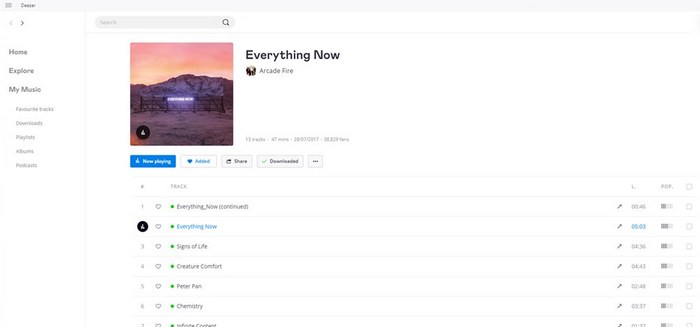
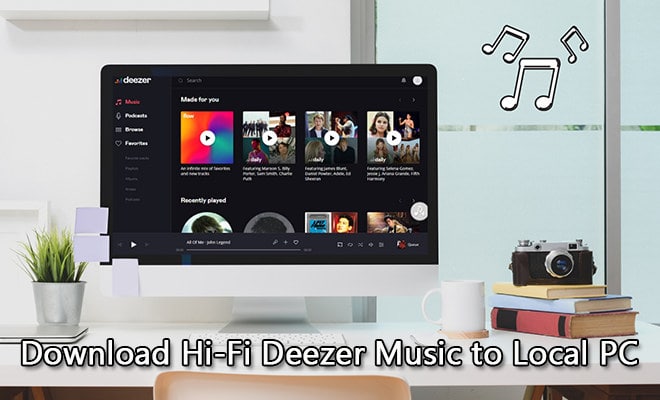
If you're a paid Deezer subscriber, you can also download playlists or albums using Deezer's desktop app. The Deezer desktop app lets you experience Hi-Fi audio and saves songs in FLAC format for a first-class music listening experience. However, to run the application smoothly, your computer system should be Windows 7, 8, 8.1, 10, or macOS 10.10 or later.
Here are the detailed steps:
Step 1 Install the Deezer Music desktop app from the official website of Deezer.
Step 2 Launch it and then search for the album or the playlist you would like to download for listening offline.
Step 3 Next, click on the Download option to start downloading the playlist/album. A green check showing beside the icon is a symbol of a successful download.
Method 2: Best Way to Convert Deezer Music to MP3/FLAC (Recommended)
While the official Deezer app is great for "caching" music, those files are encrypted and disappear the moment your subscription ends. If you want to truly own your music—transferring it to an MP3 player, burning it to a CD, or playing it on a Hi-Fi system—you need a dedicated converter.
TunePat Deezer Music Converter is a world-class music downloader for every Deezer Music subscriber to get songs onto the computer and then freely transfer them into different software or devices. It can support exporting a single song, album, playlist, or artist from the Deezer Music web player. This converter is distinguished from numerous competitors by its multiple speed and original quality download.

TunePat Deezer Music Converter
Deezer Music has offered CD-quality tracks in the 16-bit/44.1kHz FLAC format since 2017 and now. And this Deezer Music Converter can support exporting Deezer in FLAC, MP3, AAC, WAV, AIFF, or ALAC. It can support finishing the conversion process with a Deezer Premium or Deezer HiFi account.
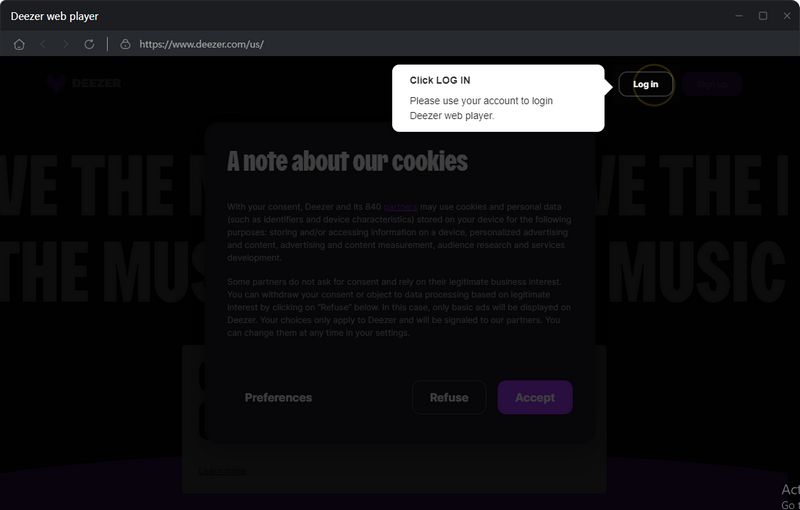
Step 1 First, please download a suitable version of TunePat Deezer Music Converter onto your computer. Start the program and the Deezer web player will pop up automatically. To successfully visit the Deezer Music catalog, you will be guided to input your account information by clicking the Log in option as per the instruction.
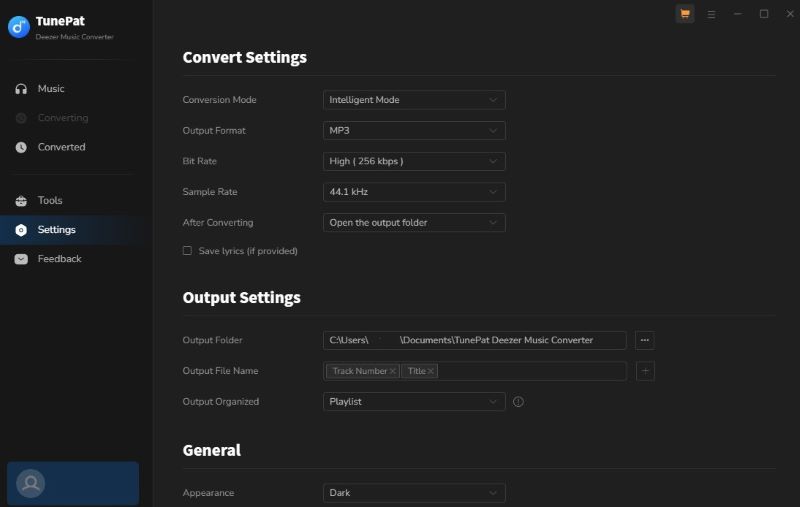
Step 2 By the second move, you should click on the Settings icon to find a pop-up to change the output parameters. Please customize the output folder and the following options based on the actual needs. After finishing the setup, close the window and the changes will be saved.
(If you choose the default Auto mode, the converter will download the original sound quality, and neither the bit rate nor sample rate options can be customized.)
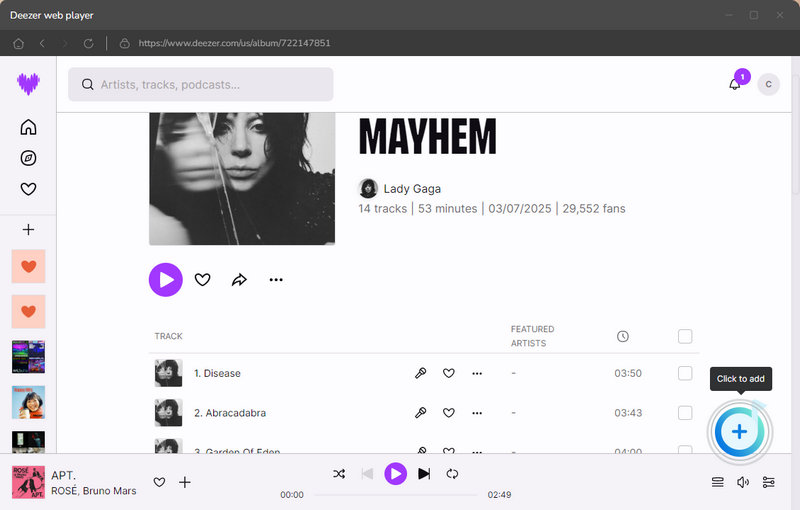
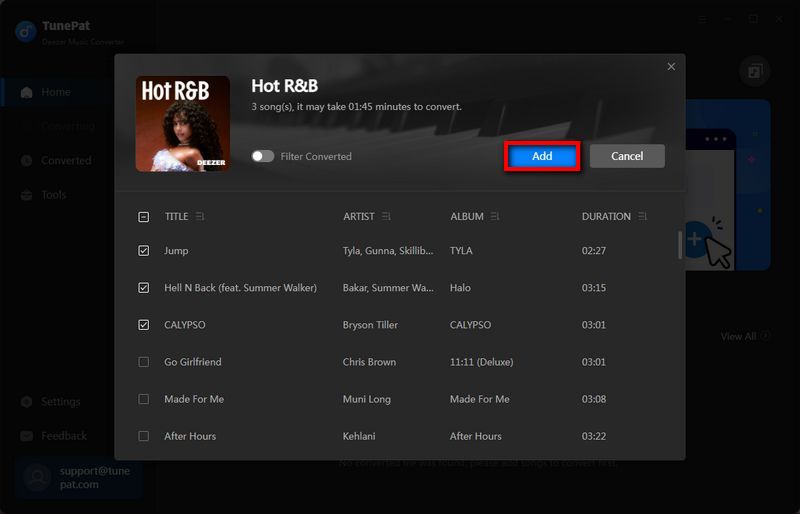
Step 3 What follows is the selection of Deezer Music tracks you want to convert. Open the song, artist, playlist, or album from the built-in Deezer Music web player and click the "+" button in the lower right corner. Then you should tap the Add button to load the songs. Deezer Music Converter will later automatically detect and list the songs in the conversion window.
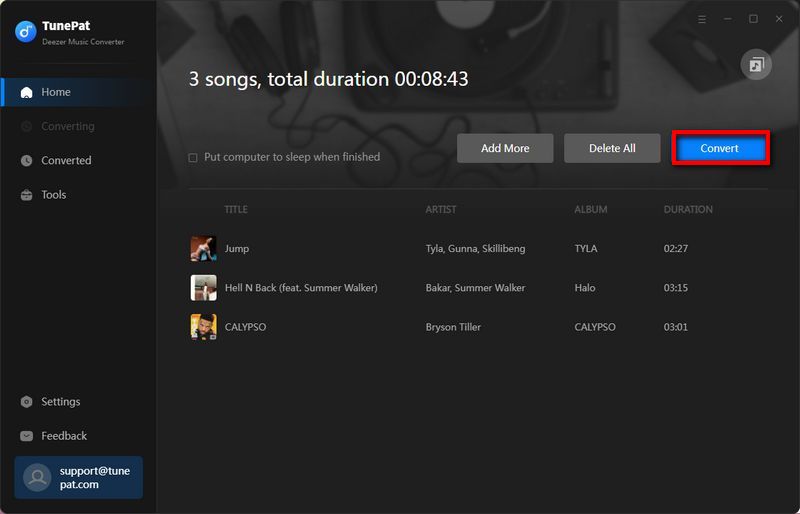
Step 4 You can click on the Convert option to start the conversion.
Certainly, if needed, to convert songs from different albums/playlists/artists at once, click on the Add More button to temporarily save the selected songs to the list and choose more songs. After a complete selection, choose the Convert button.
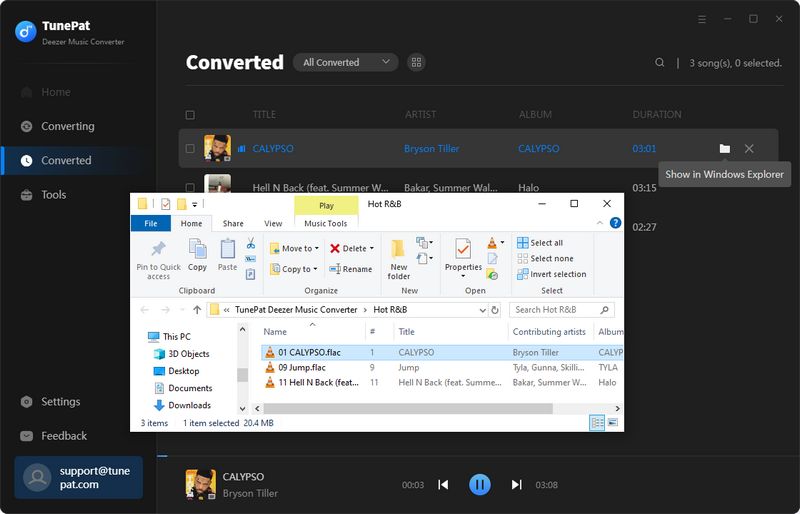
Step 5 The time to convert Deezer Music relies on the number and size of the songs you choose. As long as all songs are converted as expected, you can go to the History module. On that part, you can listen to the songs within TunePat or navigate to the local folder of the converted items.
Method 3: Download Deezer Music for Free via Telegram Bot
You can use this method to download Deezer Music on your phone as long as you have Telegram. Of course, if you don't have this program, it's also very simple, you just need to check in the App Store or Play Store, search for the name, and you can download it for free.
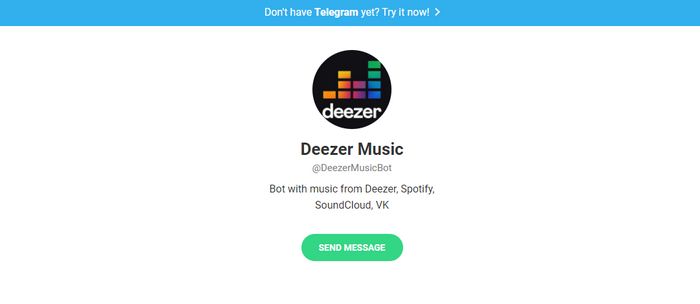
Once Telegram is installed, you can find @DeezerMusicBot by searching. From the bot dialog, you can enter the "/start" command to start an album or any track search. You can also copy and paste the Deezer URL to download. Downloaded music will be saved in MP3 format of 320kbps. But the drawback is that FLAC is not currently supported.
Alternatively, you can search @DeezloaderAn0n_bot. It also allows you to search Deezer songs by artist name, album name playlist, label, track, etc. And the songs are also saved as MP3s.
Method 4: Get Deezer Music on iPhone via Siri Shortcuts
If you are using an iOS device, then this method - using Siri shortcuts might work best for you. And the Shortcuts app is only available on iOS 12 or above. They're essentially quick actions across your apps on iOS. They can act automatically within an app in the background, or they allow you to dive into an app to get something done with a simple phrase.
Step 1 Shortcuts app can be downloaded from App Store for free. Once installed, you can get the shortcut Deezer ++ by opening this link in Safari.
Step 2 Open the Shortcuts app and run this Deezer++ shortcut. Here you can type in a song name or keyword to download wanted music onto your iPhone. If needed, you can also copy the link of the song, album, or playlist from Deezer and run this shortcut to directly download music. Then you are supposed to choose the audio format and quality. The available formats include MP3 and FLAC.
Step 3 The following step is to select a location to save the downloaded items.
FAQs: Common Questions About Downloading Deezer Music
Q1: Can I keep my downloaded Deezer music after my subscription expires?
A: No, if you use the official Deezer app. Once your subscription ends, your account reverts to "Free" and all offline downloads become greyed out and unplayable. To keep your music permanently, you must use a professional converter to download the tracks in a standard format like MP3 or FLAC before your subscription ends.
Q2: Can I download music from Deezer for free?
A: Officially, downloading for offline listening is a feature reserved for Deezer Premium, Family, and HiFi subscribers. While Deezer Free users can stream music (with ads), they cannot download tracks. However, using a tool like TunePat Deezer Music Converter during a free trial or with a subscription allows you to save those tracks as local files forever.
Q3. Where are Deezer downloads stored on my computer or Android?
A: Check this guide to find out how to locate and manage your Deezer downloads with ease.
Conclusion
Downloading Deezer Music for listening offline and keeping them playable when our subscription expires is not a simple task. To that end, we have told you 5 methods in this article to download Deezer playlists onto a mobile phone, a Windows, or a Mac. And among the multiple choices, using the amazing TunePat Deezer Music Converter to convert Deezer into MP3 or FLAC is the most convenient and effective way. Just choose the one you like and start enjoying Deezer Music now!

Delilah Rene
Senior Writer