
Are you looking for a safe and reliable tool to convert YouTube to MP3? EzMP3 is an online tool that allows you to download YouTube videos to MP3 with just a few clicks. This EzMP3 review will introduce you to EzMP3, analyze its pros and cons, and guide you on how to use it. Additionally, we will recommend some more powerful alternative tools. Let's take a look!
Part 1: EzMP3 Review: Features, Ratings, and Real User Feedback
EzMP3 may be temporarily unavailable after domain changes. Use this official link to try the current working site: https://ezconv.cc/3ca77.
EzMP3 is a free online YouTube to MP3 converter designed for simplicity, speed, and an ad-free experience. Users can directly convert YouTube videos to MP3 without needing to install software or create an account. The platform offers audio quality options ranging from 64kbps to 320kbps, catering to diverse listening preferences. It also allows users to set custom start and end times, so they can download only the portion they need. Compatible with multiple devices and operating systems, EzMP3 performs fast conversions, making it a simple and straightforward choice for users.
Step 1 Browse YouTube and choose the video you want to download. Copy its URL as preparation. Open EzMP3 in your browser and paste the copied link into the box as instructed.
Step 2 Select the audio quality you want, from 64 to 320kbps. At this step, you can also click the scissor icon to trim the part of the audio you want to download. Once everything is ready, click "Convert" to start the conversion process.
Step 3 Wait for the page to load your song. Click "Download MP3" and wait for it to be saved to your device.
Author's Hands-on Test
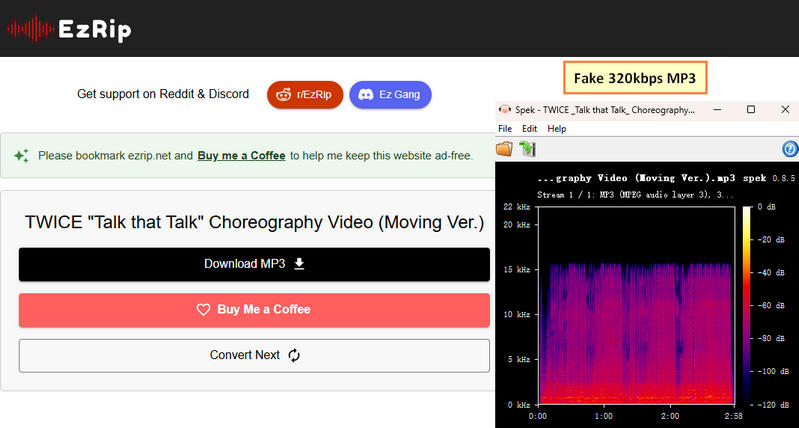
Technical Note: While EzMP3 can now provide MP3 output at up to 320kbps, it is still limited to individual downloads and may not be the best choice for users who need a more reliable and secure way to convert multiple songs. If you want to batch-convert songs with greater stability and security, you can use the best EzMP3 alternative instead.
Real User Reviews
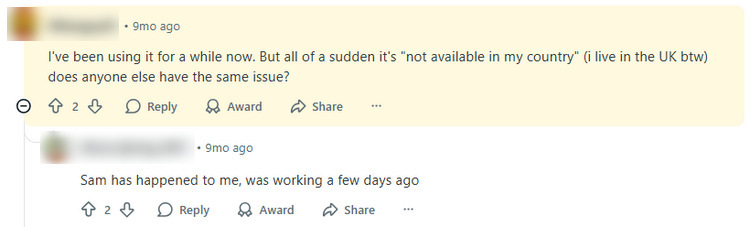
Some Reddit users report that EzMP3 was previously working, but has suddenly become unavailable in their country, including in the UK.
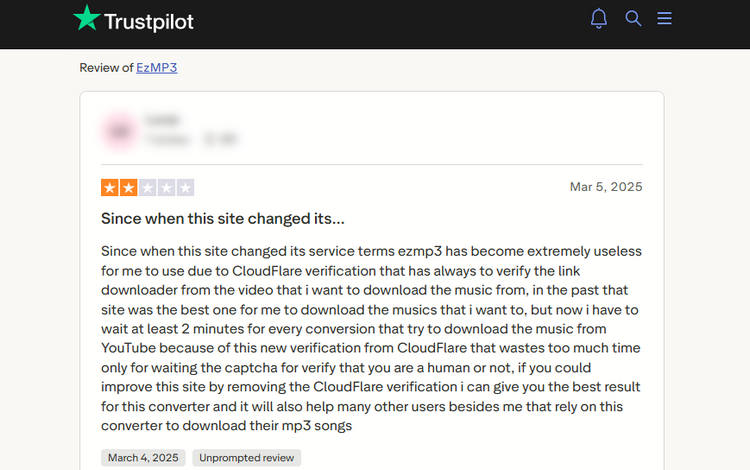
Some Trustpilot users report that CloudFlare verification delays make ezmp3 frustrating and time-consuming to use.
Part 2: Top YouTube to MP3 Converters Beyond EzMP3
1. Most Recommended Alternative Tool 👍👍👍
As we saw in the EzMP3 review above, it's a simple and easy-to-use YouTube to MP3 converter suitable for most users, but it has a serious flaw: the claimed 320kbps is not a truly high-quality audio file. That’s where TunePat Music One comes in. It allows you to download YouTube songs in original quality, preserving the true sound. In addition, TunePat supports batch conversion, saving you a lot of time. Besides YouTube videos and YouTube Music, it also supports converting songs, playlists, albums, and podcasts from popular streaming platforms like Spotify, Apple Music, Amazon Music, and Tidal. TunePat also provides flexible output format options, preserves ID3 tags, and allows you to customize output file names. Let’s now explore how this top alternative to EzMP3 works.
TunePat Music One
TunePat Music One is an all-in-one converter that can support any music streaming platform.
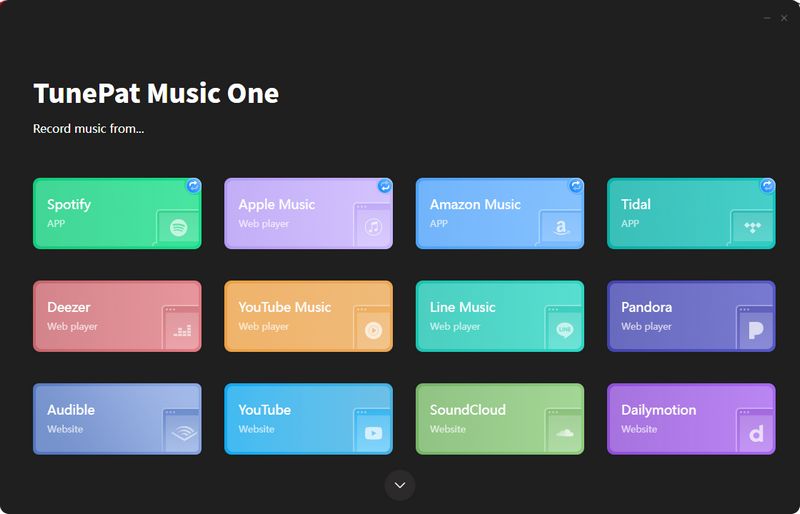
Step 1 Launch TunePat Music One
After launching TunePat, several streaming platforms will appear on the interface. Select either YouTube or YouTube Music, which is the same operation. The difference is that one parses YouTube videos and the other parses YouTube Music. Then log in with your YouTube account. TunePat supports conversions even with a free account. Here, YouTube will be used as an example.
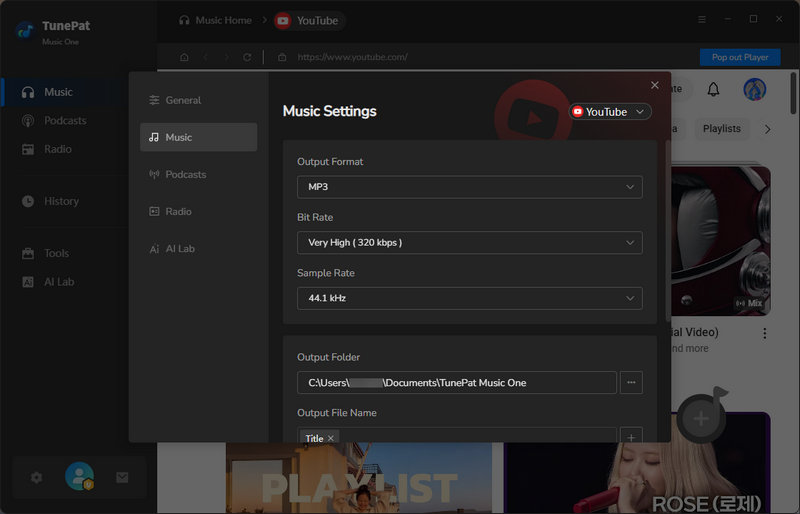
Step 2 Configure Output Settings
Click the settings icon to open the settings window. Adjust the output format, bit rate, and sample rate as needed. You can also choose the folder where your downloaded songs will be saved. Once the settings are configured, please close the window.
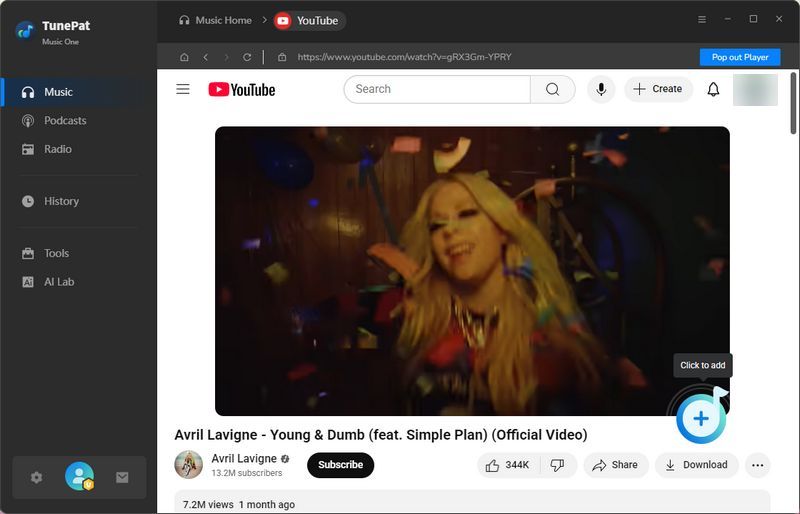
Step 3 Add YouTube Videos
Browse YouTube and select the video intended for download. Click "+" in the bottom-right corner to import it into TunePat. Tick the boxes beside the tracks to be kept, then confirm with the "Add" button.
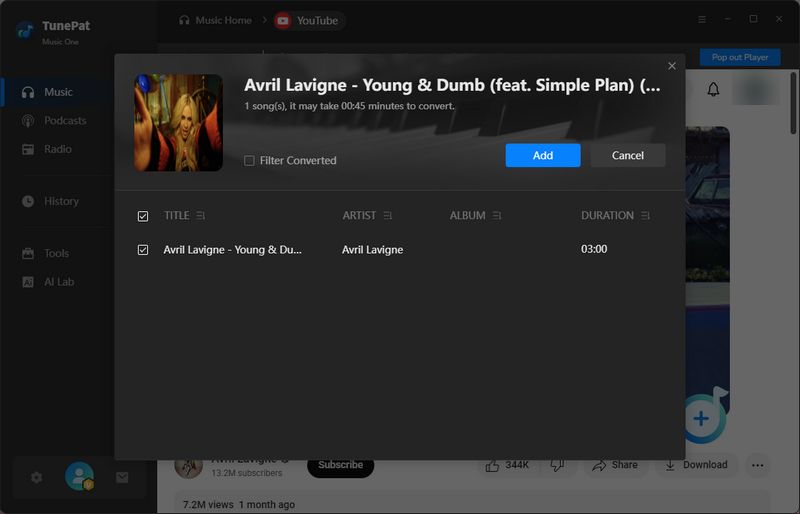
Step 4 Convert and Access Downloads
To include more videos in the same session, click "Add More", and then start the process with the "Convert" button. After the conversion is complete, the folder you set earlier will open automatically. All downloads are also accessible from the "History" tab.
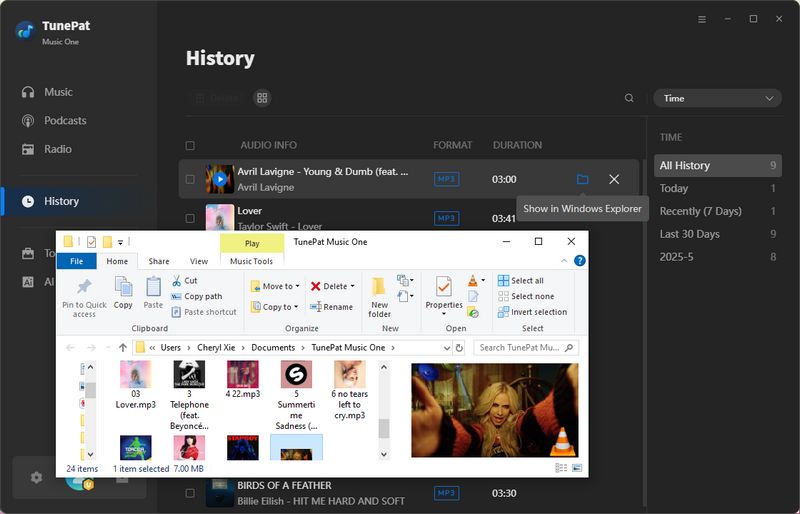
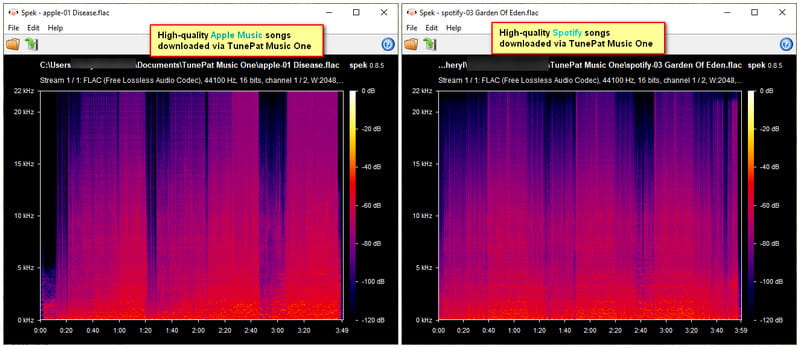
💡 Tips: YouTube downloads are subject to the platform's source-quality limitations. However, TunePat also supports streaming services such as Spotify, Apple Music, Amazon Music, TIDAL, and more, which offer higher-quality audio sources.
2. MP3YT
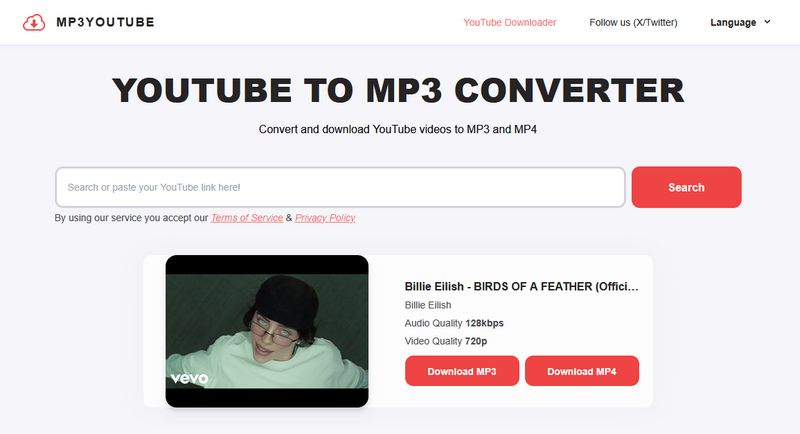
MP3YT is a free online YouTube to MP3 converter and downloader that works directly in your browser. It requires no software installation or account. Users can search for videos by keywords or paste a YouTube URL for quick parsing. After parsing, MP3YT provides MP3 and MP4 download options with the available quality clearly displayed. In our latest tests, its download performance was relatively fast, with three songs downloaded in approximately one minute. It also supports multiple languages, making it accessible to users from different regions.
Step 1 Visit the MP3YT website and search for the video you want to download using keywords such as the video title. You can also copy and paste the video's URL directly into the input box.
Step 2 After MP3YT finishes parsing the video, you will see the available audio and video quality options. Select the "Download MP3" option to download the audio file.
Step 3 Wait for the download to finish, and the MP3 file will be saved to your device.

3. CnvMP3
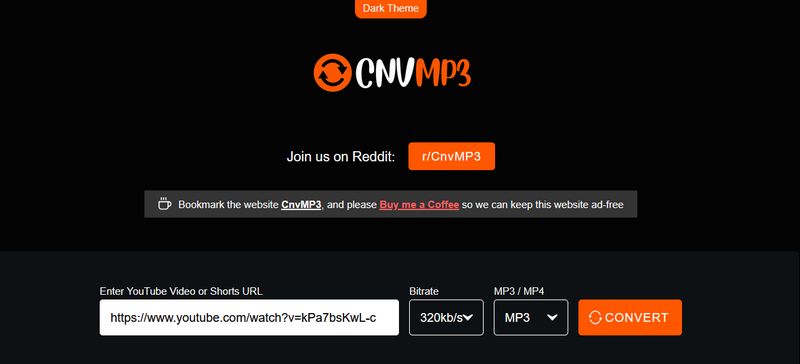
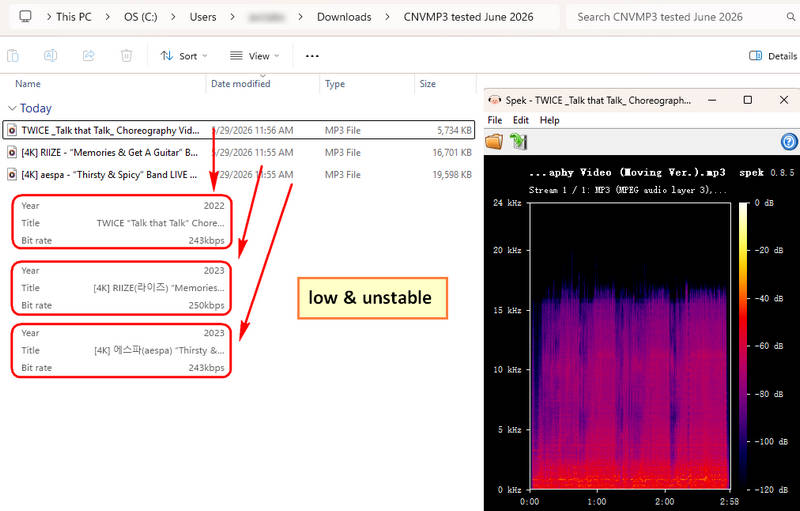
CnvMP3 is a user-friendly online tool for downloading YouTube videos as MP3 or MP4 files. It requires no installation or registration and features a simple interface with a clear URL input field and format selection options. In addition to YouTube, it supports downloads from TikTok, Instagram, Facebook, Twitter, Reddit, and Twitch. In our latest tests, CnvMP3 produced MP3 files at around 230–240kbps. While this falls short of its advertised 320kbps, the actual audio quality was still better than many similar online converters that produced only around 120kbps.
Step 1 Copy the URL of the YouTube video you want to download and open the CnvMP3 website. Paste the link into the input box.
Step 2 Select the desired output format and audio quality.
Step 3 Click "Convert", wait for the process to finish, then click "Download" to save the file to your device.
Part 3: Comparison Between YouTube to MP3 Converters
| Tool Name | Ad-free | Input Audio Source | Batch Download | Formats | Max Bit Rate |
|---|---|---|---|---|---|
| EzMP3 | ✅ | YouTube | ❌ | MP3 | 320kbps |
| TunePat Music One | ✅ | Multiple Streaming Platforms | ✅ | MP3, MP4, FLAC, WAV, AIFF, ALAC | Source Quality |
| MP3YT | ✅ | YouTube | ❌ | MP3, MP4 | Varies by Source |
| CnvMP3 | ✅ | YouTube & Social Media | ❌ | MP3, MP4 | 230–240kbps (Tested) |
Part 4: FAQs About EzMP3
Q1: Is EzMP3 safe to use?
A: EzMP3 appears relatively safe based on our latest tests. We did not encounter intrusive ads, suspicious pop-ups, or unwanted redirects during use. However, users should still avoid clicking unfamiliar links or downloading unexpected files.
Q2: Can I download multiple YouTube videos at once?
A: No. EzMP3 only supports downloading one video at a time. If you want to download multiple songs or entire playlists in one go, TunePat Music One is a better choice. It supports batch downloads and works across multiple streaming platforms, including YouTube, Spotify, Apple Music, and Amazon Music.
Q3: What audio quality does EzMP3 support?
A: You can choose the output quality from 64kbps up to 320kbps. In our latest tests, EzMP3 was able to produce MP3 files at around 320kbps. However, the actual audio quality is still subject to the source quality available on YouTube.
Q4: Does EzMP3 work on mobile devices?
A: Yes. EzMP3 works directly in a mobile browser, so you can use it on smartphones and tablets without installing a dedicated app.
Conclusion
If you need a free YouTube to MP3 converter, EzMP3 is a good option. However, as our EzMP3 review shows, it only works for single downloads. If you want to batch download videos, output multiple audio formats, or need various streaming platform compatibility, a tool like TunePat Music One might be more suitable. After reading this article, are you interested in TunePat Music One? If so, click to download and try it now!


Olivia Anderson
Senior Writer