How to Download Gaana Music - Methods & Best Alternatives
 By Olivia Anderson
Music Tips
Updated on 8/18/2026
By Olivia Anderson
Music Tips
Updated on 8/18/2026
Gaana is a major music streaming service in India, offering Bollywood hits, regional pop, classical, indie, devotional, and other genres. Although users can stream music on the platform, they prefer to download Gaana music to their devices for offline playback. This guide clarifies whether Gaana allows direct downloads, suggests practical ways to download Gaana music, introduces a few online Gaana music downloaders that may help, and answers common questions about downloading from Gaana.
Part 1: Can You Download Gaana Music Directly?
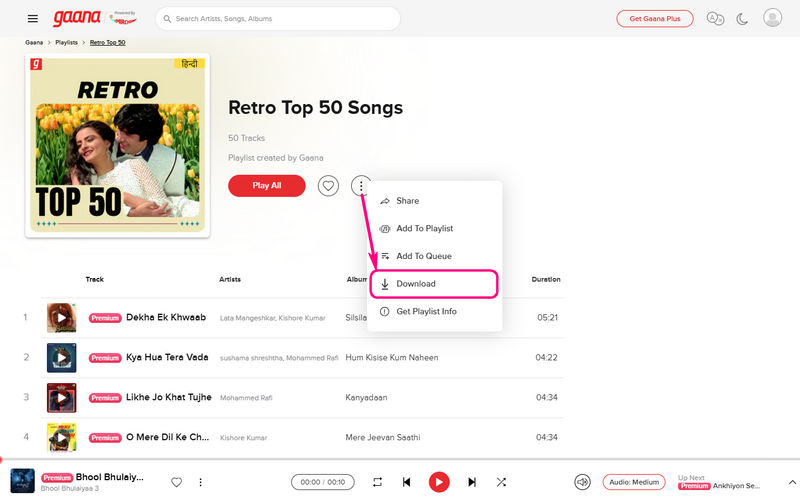
Gaana lets users download music for offline playback, but it is mainly available to paid Gaana Plus members. It is simple to download Gaana Music. Just click the three dots next to the albums or tracks you want to download and then click "Download".
Free users cannot download songs, and the tracks available for playback are limited. Even for Gaana Plus members, downloaded songs are encrypted and can only be played offline within Gaana. These audio files cannot be converted to plain formats such as MP3, nor can they be exported to other devices or players. Once the Gaana Plus subscription expires, app data is cleared, or the device is changed, the downloaded Gaana songs will become inaccessible. As a result, Gaana users who want to download truly local audio files are looking for other ways to have long-term access to the downloaded Gaana music on different devices.
Part 2: The Best Alternative to Download Gaana Music
Given encryption restrictions on downloaded Gaana music, a common solution is to use a reliable Gaana music downloader, such as TunePat Music One. Desktop downloaders are generally more stable than online tools and are unaffected by website ads. TunePat remains the best and safest way to download Gaana music. In addition, TunePat supports music downloads from multiple platforms, such as Spotify, Apple Music, Amazon Music, Tidal, and YouTube. It typically allows users to convert music to common audio formats such as MP3, AAC, WAV, FLAC, AIFF, or ALAC, and supports audio quality up to 320 kbps. After downloading these audio files, they can be permanently saved on your computer and can be transferred to different devices and software, no longer affected by membership status.
TunePat Music One
TunePat Music One is an all-in-one converter that can support any music streaming platform.
Step 1 Open TunePat Music One on your computer and scroll down to find the "Add Other Source" option. Manually enter "Gaana" and its official website to add it as a recording source. After successfully adding it, select Gaana and log in to your account.
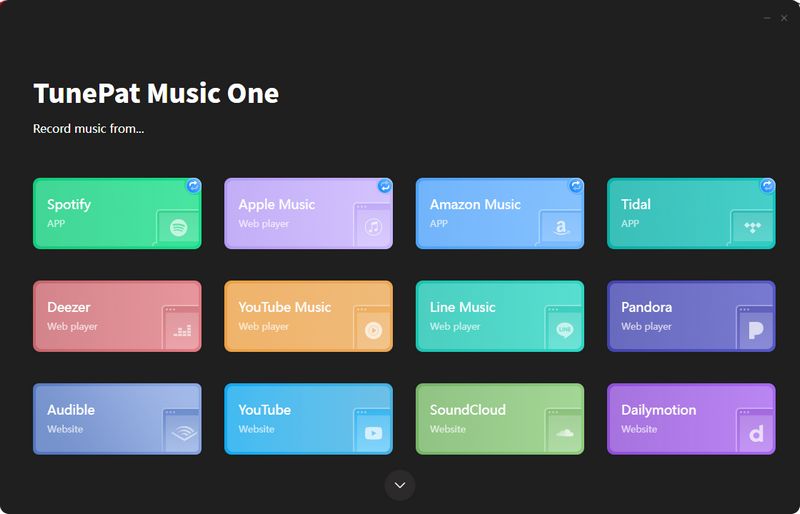
Step 2 Before starting recording, it is recommended to adjust the output settings. You can choose the output format, audio quality, and file save location as needed to ensure the final file meets your requirements.
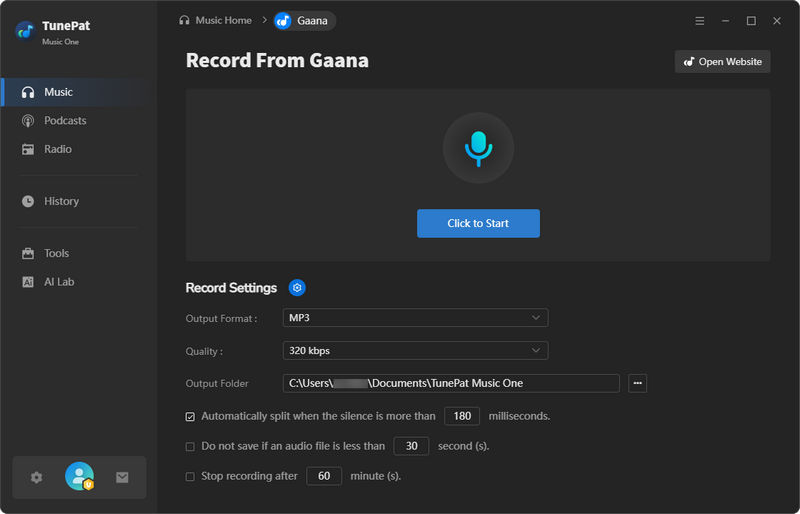
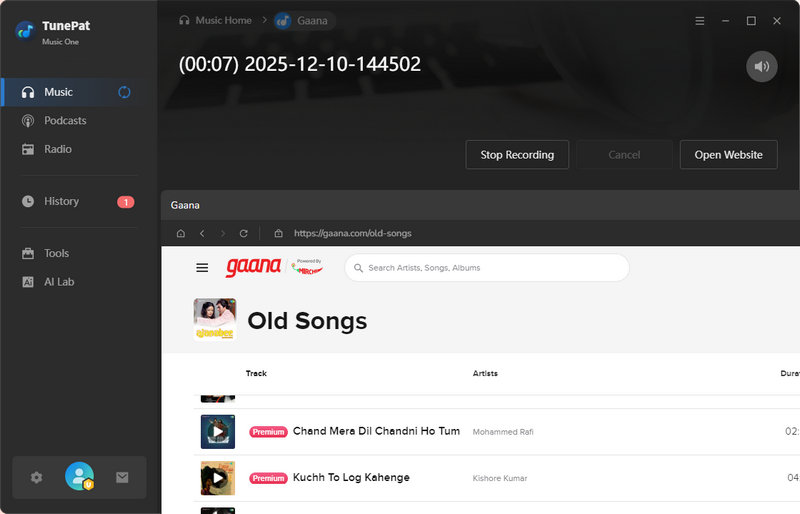
Step 3 Click the "Click to Start" button, and then play the song or playlist you want to download in Gaana's web player. TunePat will automatically detect and record the playing audio. After the recording is complete, click "Stop Recording". All converted tracks will be displayed in the "History" list for easy viewing and management.
Pros
-
 Not limited to Gaana downloads, it can be used on all major music platforms, including Spotify, Apple Music, Amazon Music, Deezer, Tidal, YouTube Music, Pandora, YouTube, SoundCloud, etc.
-
Supports multiple output formats, including MP3, AAC, WAV, FLAC, AIFF, or ALAC.
-
Allows users to customize output settings such as bit rate, output format, and save location.
-
Includes additional features like AI audio splitter, podcasts and radios streaming & downloading, tag editing, etc.
-
More stable and reliable than online downloaders, with no ads or browser restrictions.
Cons
-
 Only compatible with Windows and Mac.
Part 3: Other Online Gaana Downloaders
1. FlyDownloader
🔗 https://flydownloader.com/gaana-music-downloader/
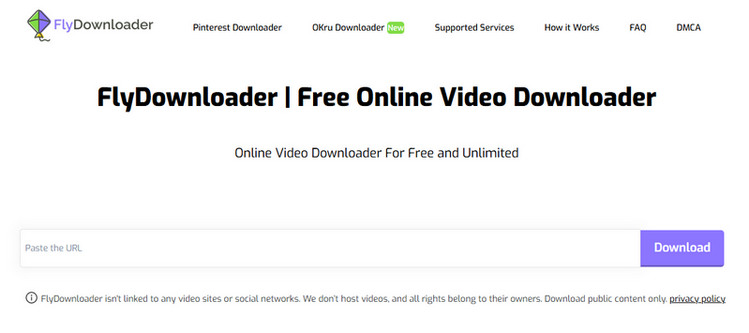
FlyDownloader is an online downloader designed to handle music and video links from numerous websites, including Gaana. Its main advantages are its user-friendly interface and fast parsing speed; users can convert Gaana song links into downloadable audio files in just a few steps. FlyDownloader Gaana Music Downloader is ideal for downloading tracks and is easy to use on both mobile browsers and desktop computers. However, conversion errors occasionally occur during peak hours. Nevertheless, it remains a convenient solution for users who occasionally need to download Gaana music.
Step 1 First, copy the URL of the desired Gaana track, open the FlyDownloader website, and paste the link into the search box.
Step 2 After parsing is complete, select the format and bitrate you want to download, and the Gaana music downloader will automatically download the audio file to your device.
Pros
-
Fast URL parsing with a simple, beginner-friendly interface.
-
Works smoothly on both mobile browsers and desktop devices.
-
No software installation required.
Cons
-
Occasional conversion failures during peak traffic or site updates.
-
Does not support playlist or album batch downloads.
-
Although the tool offers a wide range of output formats, downloading HQ requires a paid subscription.
2. PasteDownload
🔗 https://pastedownload.com/gaana-video-downloader/
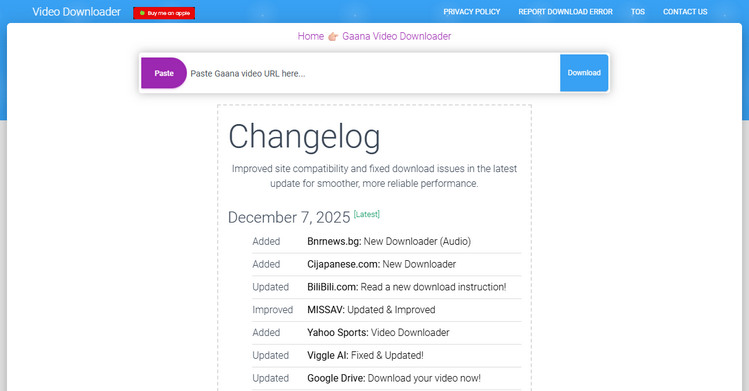
PasteDownload is a comprehensive Gaana music downloader that supports multiple formats and audio qualities. Whether you're a content creator, educator, or simply want to listen offline, PasteDownload offers fast and efficient service. The tool provides optimal quality settings and format options, ensuring the best download experience. However, be aware that the website will display numerous ads during the parsing process. After parsing is complete, it will automatically jump to the bottom of the page to allow you to download. While this may affect the user experience, simply wait patiently and avoid clicking on ads that could redirect you to unknown or dangerous websites.
Step 1 Copy the Gaana URL and paste it into the input field on the PasteDownload.
Step 2 Click the "Download" button to process the URL. Ads may pop up during this process. Do not click on unknown links. After parsing is complete, select your desired quality and format, and then save the file to your device.
Pros
-
The homepage includes a changelog, allowing you to see when the tool was last updated.
-
Offers multiple formats and audio quality options.
-
No registration is required.
Cons
-
Contains a large amount of advertising.
3. Steptodown
🔗 https://steptodown.com/gaana-music-downloader/
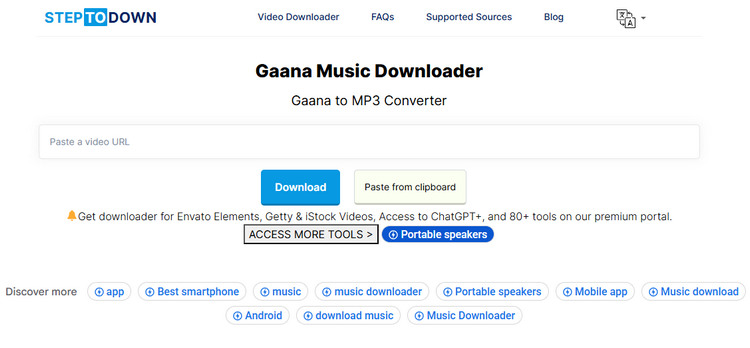
Compared to most online Gaana music downloaders, Steptodown's interface guides users through the download process cleanly and straightforwardly. However, occasional pop-up ads may slightly impact the user experience. Steptodown's biggest limitation lies in its parsing speed; sometimes it may even fail to parse links. Nevertheless, for ordinary users who prioritize ease of use, Steptodown remains a convenient and user-friendly option.
Step 1 Copy the Gaana URL of the song you want to download and paste it into the input field on Steptodown Gaana Music Downloader.
Step 2 Wait for the system to fetch the downloadable audio link, then select the desired format and save the file to your device.
Pros
-
Visually beginner-friendly interface.
-
Supports Gaana music and multiple streaming services.
-
Provides step-by-step instructions to simplify the download process for users.
Cons
-
Conversions can be slower compared to other services.
-
May fail to parse certain Gaana links.
-
Frequent pop-up ads.
4. Free Online Video Downloader
🔗 https://freeonlinevideodownloader.com/gaana-music-downloader
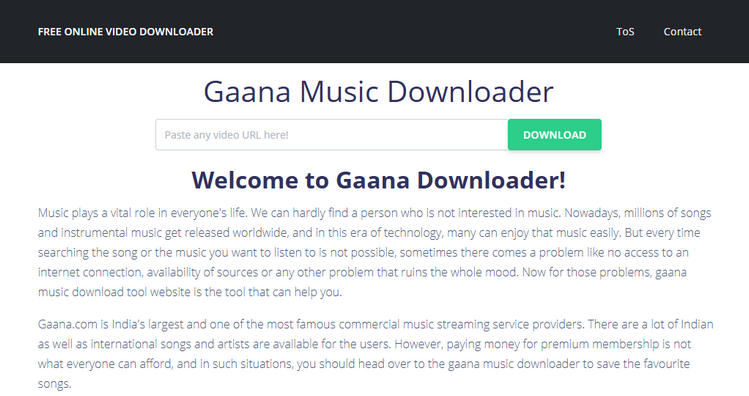
If you're looking to save music from Gaana or similar platforms, Free Online Video Downloader can be a handy online tool. However, after you paste a link into the tool, it redirects you to another webpage where the download options are provided. Before downloading, you can edit ID3 tags, such as Title, Artist, Genre, Album, and Year, and even trim the audio duration. However, the download feature requires a paid membership. Free users need to record the audio and save it to their computer. It's a handy workaround for occasional use, but frequent downloaders will need the premium access.
Step 1 Copy the song or playlist link from Gaana and paste it into the downloader. The tool will automatically redirect you to another webpage.
Step 2 Before downloading, you can edit ID3 tags. If needed, trim the audio duration to keep only the portion you want.
Step 3 To download Gaana music directly, a paid membership is required. Or, you can choose the recording option to capture the audio and save it to the computer.
Pros
-
Supports editing ID3 tags, including Title, Artist, Genre, Album, and Year.
-
Allows users to trim audio duration before saving.
-
Works online with no installation required.
Cons
-
After pasting the link, the user will be redirected to another webpage.
-
Free users can only record audio instead of downloading it.
5. GiveFastLink
🔗 https://givefastlink.com/gaana-music-downloader/
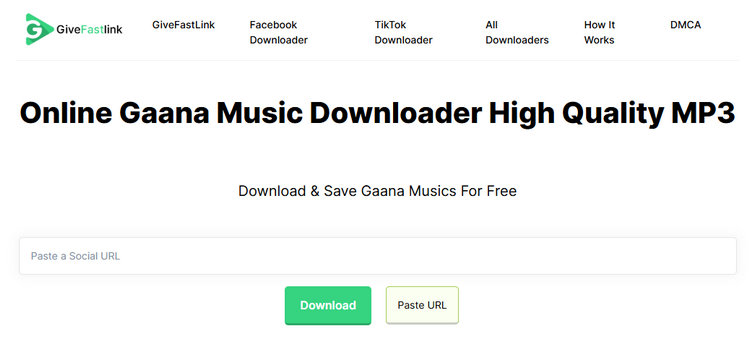
GiveFastLink Online Gaana Music Downloader is also very simple and easy to use. The homepage shows that it supports downloads not only of Gaana music but also of music from Facebook and TikTok. The website contains some fake buttons, so use them with caution. No account creation or payment is required, and the tool provides high-speed downloads for all supported URLs.
Step 1 Open the GiveFastLink Gaana Music Downloader, paste the URL in the search box, and click the "Download" button.
Step 2 Select your preferred format and quality from the available options, then download and save Gaana music to your device.
Pros
-
Easy to use with simple copy-and-paste functionality.
-
Supports a variety of output formats.
Cons
-
Some fake buttons may appear and try to redirect you to download desktop software.
Part 4: FAQs About Downloading Gaana Music
Q1: Can I download Gaana music to MP3?
A: Yes, but not from Gaana directly. Gaana only provides encrypted files. To save Gaana songs as MP3 files, you’ll need to use a desktop Gaana music downloader like TunePat Music One or an online Gaana to MP3 converter. With the right tool, you can download tracks in MP3 format at high quality, up to 320kbps.
Q2: Is it safe to use online Gaana downloaders?
A: Most online downloaders are generally safe, but they can come with limitations such as instability, inconsistent audio quality, and intrusive ads. If you want a more secure and reliable experience, desktop tools like TunePat Music One are a better option. They don’t rely on advertising, offer cleaner interfaces, and provide more stable conversion results.
Q3: What is the best way to download Gaana music for offline use?
A: The most dependable way is to use desktop downloaders such as TunePat Music One. It can record and convert Gaana music into standard formats like MP3, AAC, or WAV. Once saved, the files can be played on any device without being tied to Gaana’s subscription or encryption restrictions.
Conclusion
In short, you can download Gaana music in different ways. Gaana offers downloads and offline listening for premium users, but it doesn't allow true MP3 downloads, meaning it can't be transferred to other devices. Online tools like FlyDownloader, PasteDownload, Steptodown, Free Online Video Downloader, and GiveFastLink can easily download single tracks, but they often have limitations in audio quality and other aspects. Desktop Gaana Music Downloader, like TunePat Music One, remains the most reliable and flexible solution, offering high-quality audio downloads and plain format output. Download and try it out!

Olivia Anderson
Senior Writer