MP3Paw Free Music Download: Safety & Best Alternatives
 By Olivia Anderson
Music Tips
Updated on 9/02/2026
By Olivia Anderson
Music Tips
Updated on 9/02/2026
Music is a big part of our daily lives, whether you're commuting, working out, or relaxing at home. MP3Paw is a popular free tool for downloading MP3s, but before using it, it’s important to understand how it works, its pros and cons, and the safer, legal alternatives available. This guide will help you make an informed decision.
Part 1: What is MP3Paw?
MP3Paw is an online platform that allows users to search and download MP3 music files for free. It functions primarily as a search engine, indexing various music sources across the internet and providing download links to users. No account registration is required, and the website offers a simple, user-friendly interface accessible via web browsers.
While MP3Paw offers an easy way to find and download music without subscription fees, it does not host any files directly. Instead, it redirects users to third-party sources where the actual files reside.
*Note: Want to get high-quality music from popular platforms like Spotify, Apple Music, Tidal, SoundCloud and save them forever? Want to get music files other than MP3, like FLAC, WAV? Download this powerful Music One tool, which has to be the best alternative to MP3Paw:
Part 2: Pros and Cons of MP3Paw
To help you decide if MP3Paw is a good fit, let's take a quick look at its main pros and cons.
Pros
-
 Free and easy to use.
-
No account or registration needed.
-
Wide range of music genres and tracks available.
Cons
-
 Audio quality may be inconsistent.
-
Website can experience downtime or broken links.
-
Pop-up ads and redirects may impact user experience.
-
Potential security risks from third-party download sites.
-
MP3Paw lacks advanced features like personalized playlists.
Part 3: Is MP3Paw Safe and Legal to Use?
MP3Paw itself does not host music files but provides links to third-party sites that may carry security risks such as pop-up advertisements, malware, or phishing attempts. Because of this, users should exercise caution and ensure their antivirus software is up to date when downloading files. It’s also common for browsers or security tools to block certain downloads or flag the site due to these potential threats. Always verify downloaded files before opening them and avoid clicking on suspicious links.
Regarding legality, downloading music through MP3Paw depends largely on your local copyright laws. Since MP3Paw indexes content from various sources, some of which may host copyrighted material without proper authorization, downloading such files can potentially violate copyright regulations in many countries. A safer option is to use streaming platforms or one of the following alternatives.
Part 4: How to Download Music from MP3Paw?
MP3Paw is a search engine for music files on the Internet. The operation steps are very simple.
Step 1 First, visit the MP3Paw website in any browser on your device and enter the name of the song, artist, or album in the search bar.
Step 2 Then, MP3Paw will search the Internet and display a list of matching results, usually including multiple versions of the same song. You can click the Play Music button to preview the song first. After finding the song you want to download, click the MP3 Download option, and then you can choose to download it in various quality options, usually ranging from 64kbps to 320kbps.
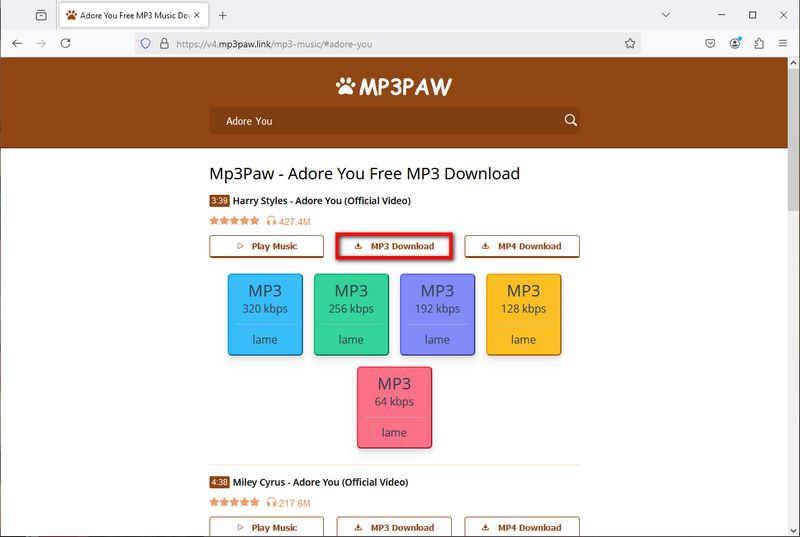
Step 3 Select one of the sound quality files, click it and you will see a pop-up window. Click the Download Now button in the pop-up window to quickly download the selected MP3 file to your local computer.

Part 5: Top 5 Best Alternatives to MP3Paw
Have you ever run into problems trying to download your favorite music from MP3Paw? MP3Paw has long been a popular site for downloading free MP3 music files. However, sometimes it doesn't work properly, so it's time to explore some alternatives to ensure you can continue to enjoy your favorite music. MP3Paw alternatives can be divided into a few main categories, such as the powerful all-in-one tool TunePat Music One, free online music websites, some free YouTube to MP3 converters, streaming services that offer free tiers of support, or paid subscription streaming services if you have enough budget.
3.1 Music Streaming Services
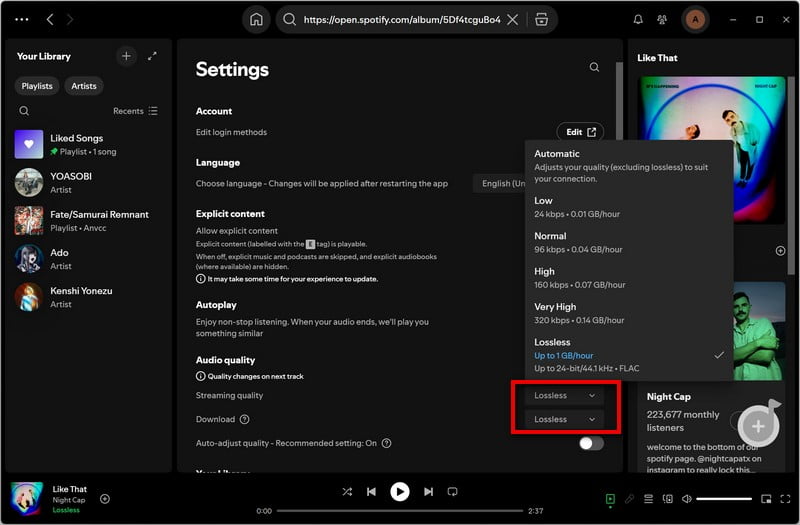
If you want to access a huge music library at will, then the most popular way to listen to music, streaming music is a method you can consider. There are many popular platforms now, such as Spotify, Apple Music, Tidal, etc. You can unlock some advanced features such as offline playback by paying a monthly subscription. If you have a limited budget, you can also consider some streaming services that offer free tiers, such as Spotify, YouTube Music, and Pandora, but you may need to put up with some shortcomings, such as annoying ads, inability to skip songs, low sound quality, etc.
Best for:
- Users who want to listen to high-quality music anytime without worrying about ownership.
- Listeners who prioritize stable, legal sources and a large music catalog.
- Users who don’t require actual MP3 files but are okay with offline caching.
📚: Get Spotify Premium for Free | Get Apple Music for Free | How to Get Tidal for Free
Pros
-
Huge music libraries.
-
Provide high-quality audio.
-
The offline listening function is available.
Cons
-
Requires monthly subscription.
-
Can't permanently own music files.
-
Need an internet connection for streaming, unless you pay to unlock the offline playback feature.
3.2 TunePat Music One
The rich music library collection in streaming services is very attractive, but the most fatal drawback is that it is impossible to really get valid audio files from them, which requires a monthly paid subscription to maintain access to them. Then the powerful tool we are about to introduce can make you free to use streaming services, and can also be regarded as the best alternative to MP3Paw.
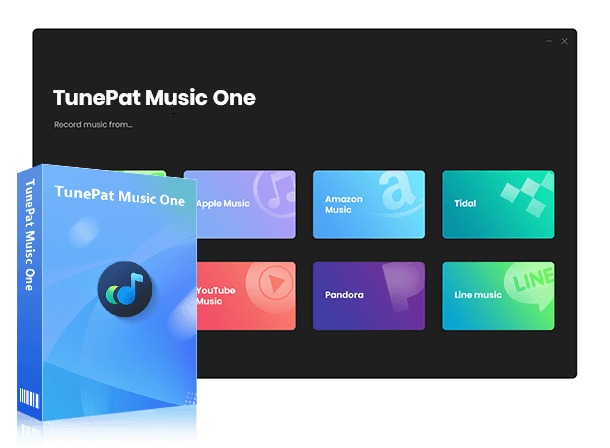
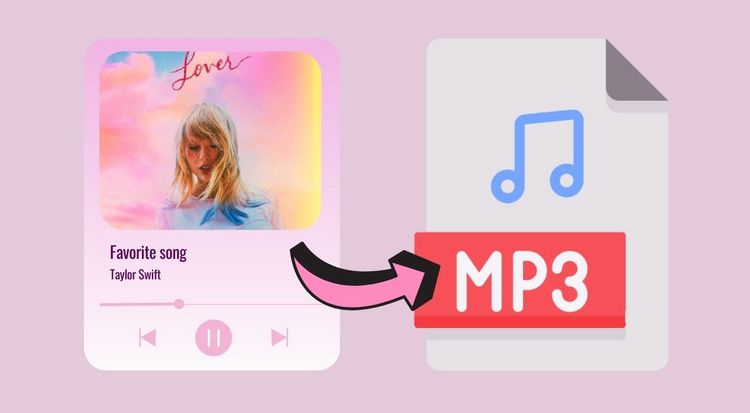
TunePat Music One is an all-in-one audio converter and downloader. As you can see, when you select the output format as MP3, this tool can easily, quickly, and batch obtain MP3 local files from Spotify, SoundCloud, YouTube Music, Tidal, Apple Music, Amazon Music, Deezer, and other streaming platforms and retain the original sound quality and ID3 tags. Of course, if necessary, you can also export them to common audio formats such as FLAC, M4A, WAV, etc.
TunePat Music One
TunePat Music One is an all-in-one converter that can support any music streaming platform.
Best for:
- Audiophiles and users with high demands for sound quality.
- Those who want to listen to their favorite songs offline anytime but don't want to pay for a monthly subscription to a streaming platform.
- Advanced users who want to manage and backup their music collections.
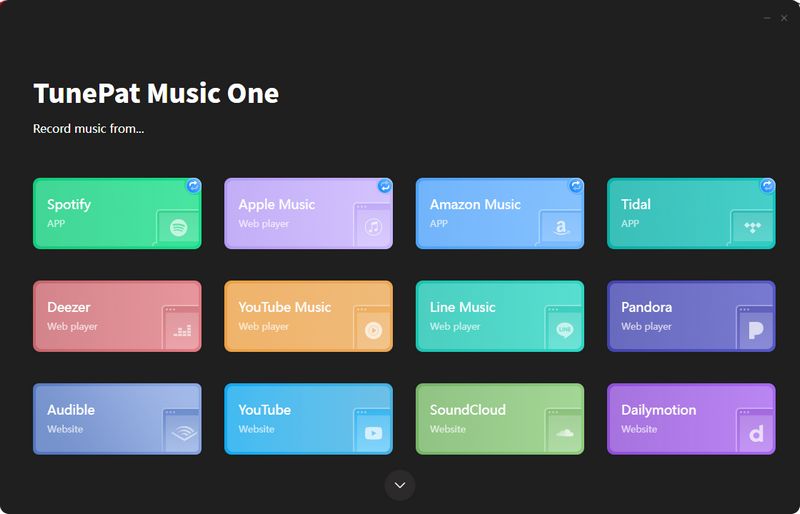
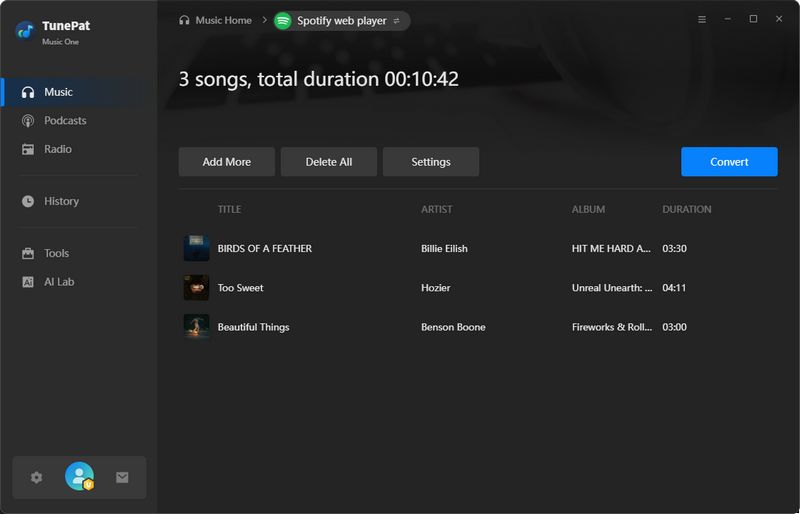
Step 1 Install and open TunePat Music One, then you can see that there are entrances to different platforms on the main interface. Let's take Spotify as an example. You just need to click the "Spotify" option.
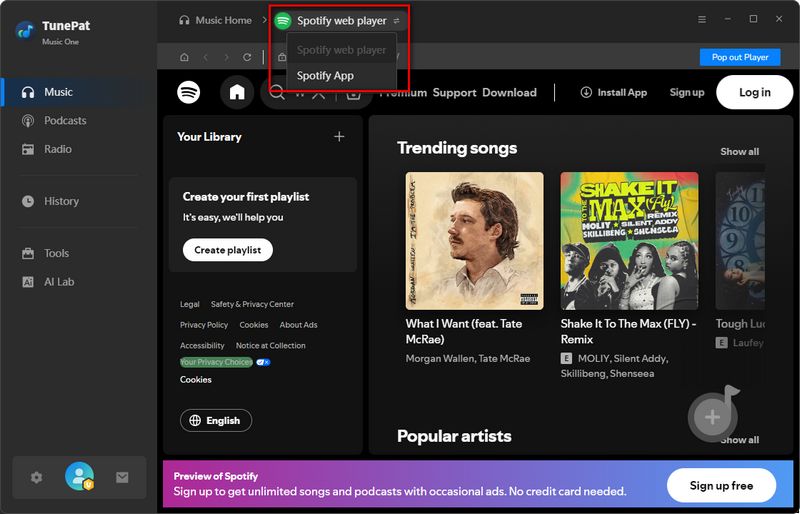
Then you will see an interface like this, click "Spotify web player" / "Spotify App" to switch the audio source. You can choose to convert songs from the Spotify app or web player according to the actual situation. Then follow the instructions to complete the account login.
*Note: TunePat Music One can also support logging in with a free account to access the library, and then convert ad-free local audio files. For example, Spotify, YouTube Music, etc.
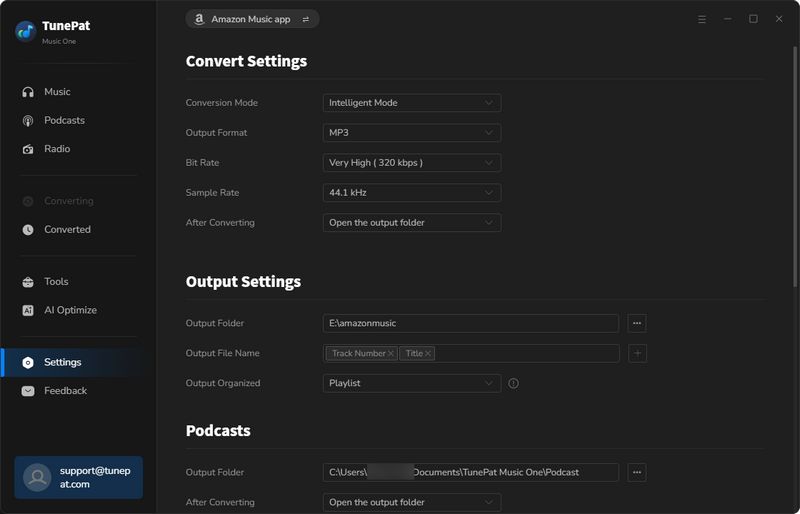
Step 2 An important step is to complete the setting of output parameters. Click the "Settings" tab to open the pop-up window. Please set the output format to "MP3". In addition, you can also customize the conversion mode, sound quality, output folder, and other options.
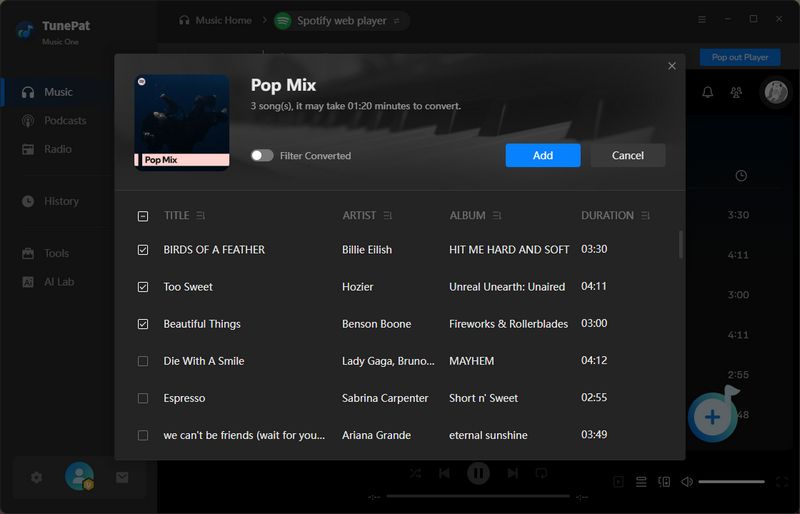
Step 3 After selecting, return to the Spotify app or web player window, then the content you want to convert, and then click the "+" button on the lower right side to parse. After parsing, the content will be displayed in the pop-up window. You can manually select the target tracks and then click "Add" to the next step.
Now, you can click "Convert" to start the song conversion process immediately. Generally speaking, the output folder will pop up automatically after the conversion is completed. These songs can be transferred to any program, device, etc. for use. You can also click "History". In this module, you can view the historical conversion records and double-click the song to play it.
Pros
-
Supports batch downloads from major streaming platforms like Spotify, Apple Music, SoundCloud, YouTube, Tidal, etc.
-
Offers multiple output formats including MP3, FLAC, WAV, ALAC, AIFF, and AAC.
-
Preserves complete ID3 tags for organized music libraries.
-
Includes useful free tools like audio format conversion and vocal separation.
-
Cost-effective way to build a local music library without ongoing subscriptions or costly album purchases.
Cons
-
Only available on Windows and macOS; no mobile support.
3.3 Free Music Platforms with Download Options
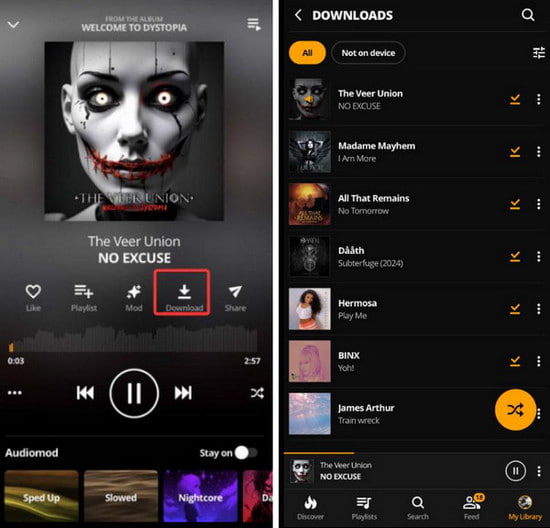
In addition to YouTube, you can find free music on platforms such as Audiomack, Jamendo, and SoundCloud. These platforms offer a mix of streaming and download options, although the way downloads work varies. Audiomack allows selected songs to be downloaded through its mobile app for offline listening, Jamendo offers downloadable independent music, and SoundCloud lets artists decide whether their tracks can be downloaded.
Best for:
- Discovering free music from independent artists.
- Finding music to stream or download for offline use.
- Creators looking for free or openly licensed tracks.
Pros
-
Offers a wide range of music across different genres.
-
Provides free streaming and various download options.
-
Good sources for discovering independent and emerging artists.
Cons
-
Download options vary by platform and track.
-
Mainstream music availability may be limited.
-
Audio quality and licensing terms can vary.
📚: You might be interested in this: Top 17 Unblocked Music Sites
3.4 Paid Music Download Options
If you have a sufficient budget and have high requirements for sound quality, for example, you want to obtain permanent and effective lossless music, then you can consider purchasing from some websites that support the separate purchase of singles or albums in FLAC, WAV and other formats, such as Amazon Digital Music Store, iTunes, Bandcamp, etc.
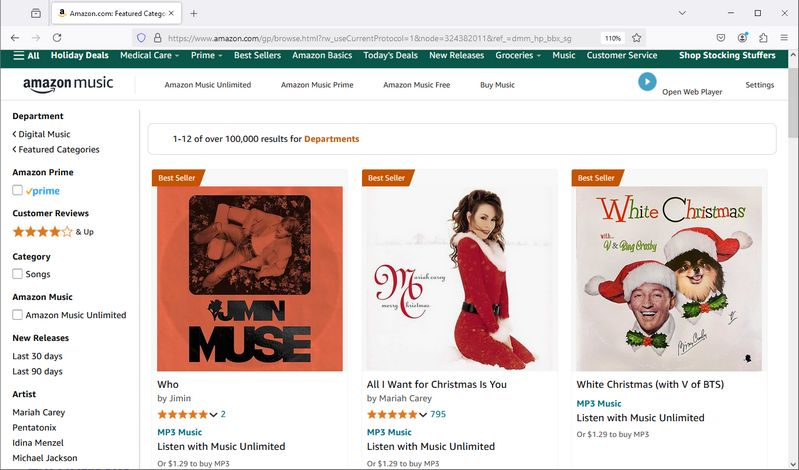
Take Amazon Digital Music Store as an example. In addition to subscribing to Amazon Music to access Amazon's library, it also supports the separate purchase of digital music files, including singles and entire albums. The supported formats are usually high-quality MP3 (320kbps), without digital copyright protection, and can be played on multiple devices. The price of a single song is usually between $0.99 and $1.29.
Best for:
- Users who want to own music and keep it long-term legally.
- Audiophiles who demand high-quality audio and like to collect digital albums.
- People who need to listen to music without an internet connection.
Pros
-
One-time purchase grants permanent ownership without monthly fees.
-
Purchased MP3s can be played on any compatible device.
Cons
-
Higher prices and greater long-term cost.
-
Manual downloading and file management required after purchase.
-
Basic features, lacking lyrics, recommendations, and extras.
📚: You might be interested in this: Top 16 FLAC Music Download Sites
Part 6: FAQs for MP3Paw Free Music Download
Q1: Is MP3Paw safe to use for downloading music?
A: MP3Paw itself doesn't host files but links to third-party sites, which may carry risks like malware or intrusive ads. Users should be cautious, use antivirus software, and avoid suspicious links.
Q2: Are there safer alternatives to MP3Paw for free music downloads?
A: Yes. Alternatives include legal free music sites, such as Jamendo and Free Music Archive, or subscription streaming services like Spotify and Apple Music. Tools like TunePat Music One offer the most effective ways to download and convert music for offline use.
Q3: Does MP3Paw offer high-quality, lossless music downloads?
A: MP3Paw mainly provides MP3 files, and audio quality may vary. For lossless quality, consider paid services or converters that support formats like FLAC or WAV.
Conclusion
MP3Paw Free Music Download offers a convenient way to access free music, which is why it has gained popularity. However, due to security concerns, many users are seeking safer and more reliable alternatives. This article also presents a variety of options, from subscribing to a streaming service that fits your needs to using TunePat Music One for downloading your favorite playlists for offline playback on any device, as well as free downloads from authorized websites or purchasing high-quality singles and albums from reputable paid stores.
Considering all factors, TunePat Music One stands out as the most cost-effective tool with the largest supported music library. It allows you to convert and transfer music tracks to any media player, giving you true ownership regardless of your subscription status. Ready to experience a more flexible way for MP3Paw Free Music Download? Click the "Download" button below to get started!

Olivia Anderson
Senior Writer