
Since April 10, 2024, TIDAL has removed its free tier, which means users now need a paid subscription after the free trial ends. TIDAL has simplified its subscription plans, with the Individual plan currently available for $11.99/month and including HiRes FLAC audio and Dolby Atmos music. Family and Student plans are also available for users who need different subscription options.
TIDAL is known for its high-quality sound and large music library, which is why many people still choose the platform. However, after the free tier was removed, many users started looking for ways to try TIDAL without paying right away. In this guide, we'll share 6 ways to get TIDAL for free, including free trials, Mercedes-Benz offers, DJ partnerships, Boost Mobile promotions, and other options.

Part 1: 6 Ways to Get TIDAL for Free
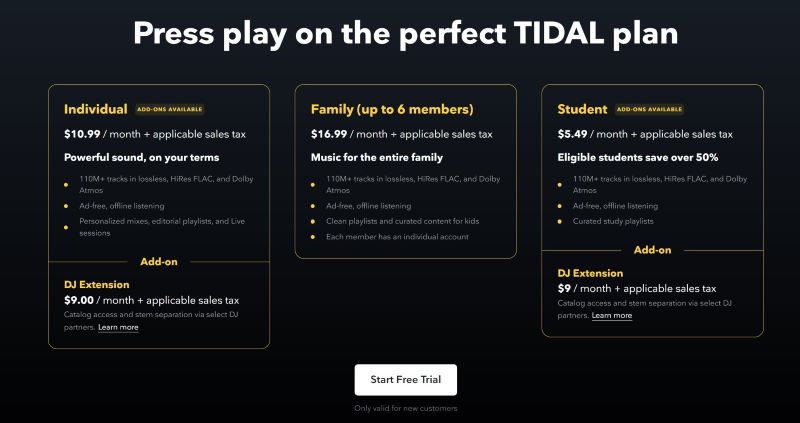
Method 1: Get Tidal for Free Officially - 1 Month
Tidal offers a complimentary trial for newcomers. As a first-time user, you can experience Tidal's HiRes sound quality at no charge for 30 days.
Step 1Visiting Tidal's website, click on the "Start Free Trial" option to initiate the subscription process.
Step 2You will be taken to the sign-up page. Enter your email address to register for a new Tidal account.
Step 3Decide on a subscription plan between Individual, Family or Student Plan.
Step 4Proceed to finalize the registration by inputting your credit card or PayPal information to establish your payment method.
After completing these steps, you can enjoy 30 days of free Tidal account. Once it expires, you will need to pay a subscription fee. If you do not wish to spend money and want to avoid involuntary payments, please cancel your Tidal subscription before it expires.
Method 2: Get Tidal for Free with Mercedes Benz - 3 Months
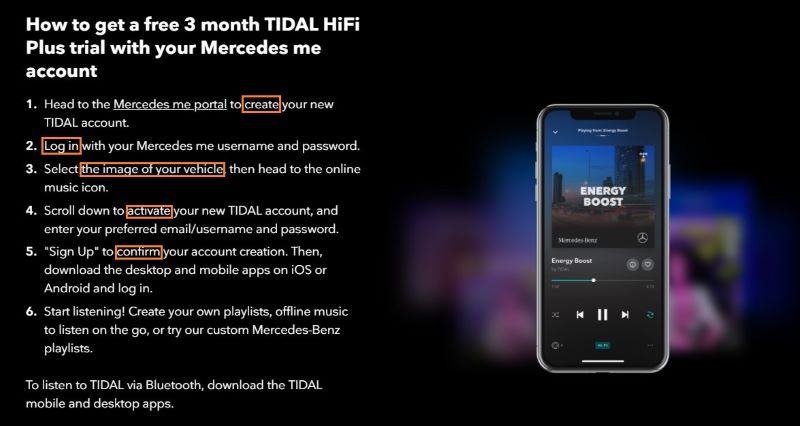
Mercedes Benz owners can easily get a free Tidal 3-month trial. You can enjoy Tidal's playlists in your Mercedes-Benz. Let's see how to get Tidal for free through your Mercedes me account.
Step 1Visit the Tidal Mercedes me website. Create a new Tidal account and sign into your account.
Step 2Click the "Go to my vehicle" section to add your vehicle photo, and head to the "online music" option.
Step 3Activate your new Tidal account, enter your email address and password, and confirm your account.
Step 4Now you have a 3-month free trial of Tidal. Make sure you have MBUX on your car which links your Mercedes me account to your car.
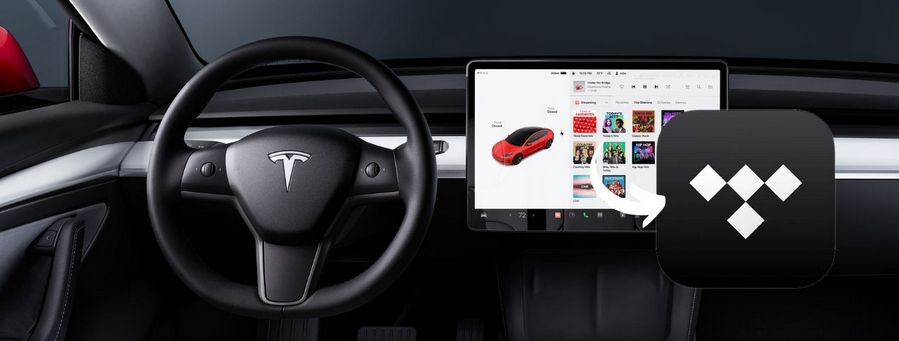
Step 5Click the "Media > Online Music > Tidal" option and sign in to your Tidal account. Then you can play Tidal music on your Mercedes car.
Method 3: Get TIDAL Free with Denon DJ Partner Offer - Up to 3 Months
If you own compatible Denon DJ hardware, you may be able to get a special TIDAL offer through the partnership. This offer allows eligible new users to access TIDAL with DJ Extension and enjoy over 110 million tracks, curated playlists, and high-quality audio for mixing.
With supported Denon DJ Prime Series devices, you can connect TIDAL and access songs, albums, artists, and playlists directly from your DJ equipment. Eligible users may get up to 3 months of TIDAL Individual Plan with DJ Extension, depending on current promotions.
Step 1Update your compatible Denon DJ device to a supported firmware version and connect it to a stable internet connection.
Step 2Open the library section on your Denon DJ device and select the option to connect or activate TIDAL.
Step 3Follow the on-screen instructions to sign in to your TIDAL account and complete the activation process.
Step 4Once connected, you can access TIDAL playlists, saved tracks, albums, and other music content directly from your Denon DJ hardware.

Method 4: Get TIDAL Free with DJ Extension - 30 Days
TIDAL DJ Extension is designed for DJs who want to bring their TIDAL music library into supported DJ software and hardware. New customers can enjoy a 30-day free trial and connect TIDAL with platforms like rekordbox, Serato, VirtualDJ, and more.
With TIDAL DJ Extension, you can use your saved tracks, playlists, albums, and favorite artists while mixing. It connects your TIDAL library with supported DJ software, making it easier to manage and mix your music in one place.
Step 1Visit the TIDAL DJ page and choose a supported DJ integration, such as rekordbox, Serato, VirtualDJ, or another compatible partner.
Step 2Sign in to your TIDAL account or create a new account if you are a first-time user.
Step 3Connect your TIDAL account through the supported DJ software or hardware and activate the DJ Extension trial.
Step 4Once activated, you can start mixing TIDAL tracks, playlists, and saved music directly through your DJ setup.

Method 5: Get TIDAL Free with Boost Mobile - 30 Days
Boost Mobile offers prepaid mobile phone services in the United States and occasionally provides TIDAL promotions for eligible customers. Some users may be able to redeem a free 30-day TIDAL trial through their Boost Mobile account, depending on current offers and availability.
Step 1Log into your Boost Mobile account and check the available add-ons or promotions for a TIDAL free trial.
Step 2Select the available TIDAL offer and follow the instructions to redeem your free trial.
Step 3Complete the activation process and sign in to your TIDAL account.
Step 4Download the TIDAL app and start listening with your free trial.

Method 6: TIDAL Premium APK: Risks and Limitations
TIDAL Premium APK refers to unofficial modified versions of the TIDAL Android app. Some users search for these APK files because they want to try TIDAL's premium features without purchasing a subscription. However, these modified apps are not released or supported by TIDAL, and their safety, reliability, and availability cannot be guaranteed.
Compared with the official TIDAL app, Premium APK versions often have several limitations. They may stop working after app updates, require users to find new versions frequently, and may not provide a stable listening experience. In addition, music saved through these apps is usually stored as encrypted cache files instead of normal audio files, meaning you cannot easily keep, move, or play them on other devices.
Note: Be careful when downloading unofficial APK files from third-party websites. They may contain unwanted software or request unnecessary permissions. Always check the source before installing any app on your device.
If you want a more reliable way to enjoy TIDAL music on different devices, the official TIDAL app and subscription plans offer a safer experience. For users who want to keep their music available after a subscription ends or listen offline across multiple devices, using a dedicated music converter can be a more flexible option.
Part 2: How to Download TIDAL Music for Offline Listening
The methods above can help you enjoy TIDAL through free trials and partner offers, but most of them are only available for a limited time. Once the trial period ends, you will need an active TIDAL subscription to continue accessing your music library. If you want to keep your favorite songs and listen to them offline on different devices, TunePat Tidal Media Downloader offers a more flexible way to manage your TIDAL music.
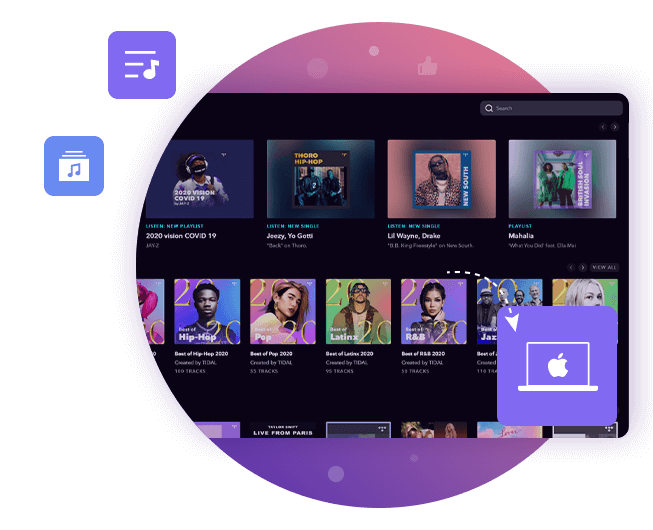
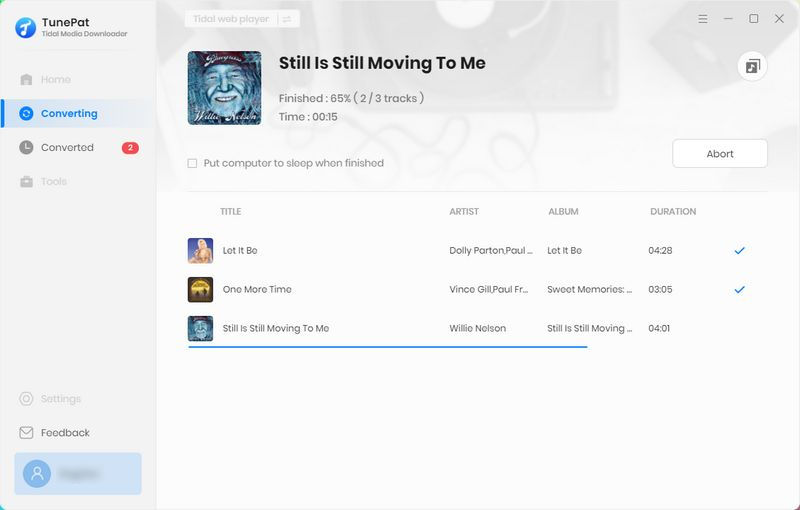
TunePat Tidal Media Downloader allows you to save TIDAL songs, albums, playlists, and podcasts in common audio formats for offline listening. It keeps song information such as titles, artists, albums, and cover art, so you can easily manage and play your music files on different devices.
TunePat Tidal Media Downloader
TunePat Tidal Media Downloader enables users to download all Tidal contents to MP3 or other common formats.
Step 1 Choose Music and Add It to TunePat
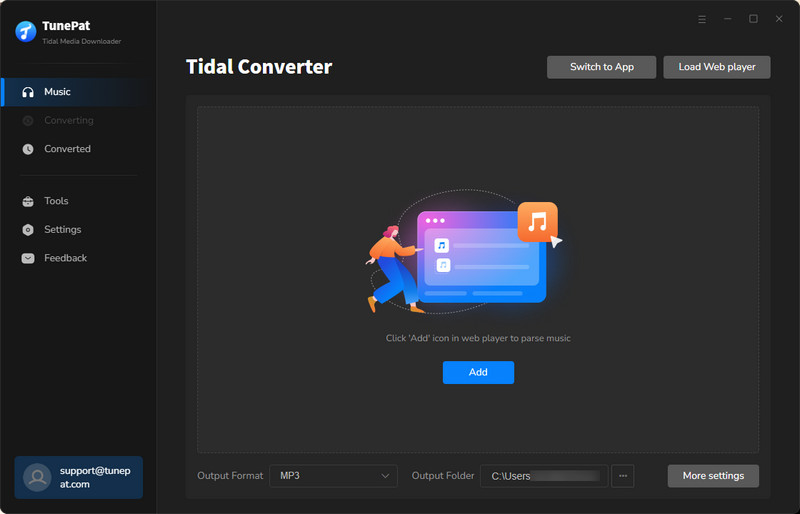
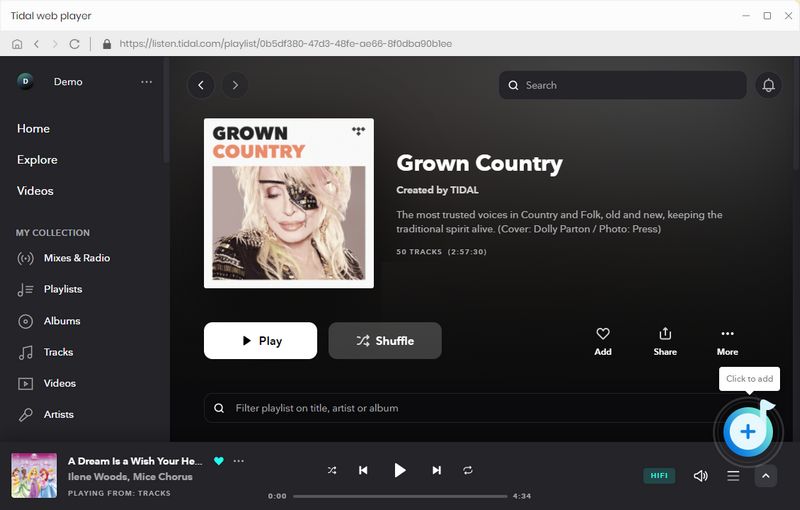
Launch TunePat Tidal Media Downloader and choose your preferred audio source: Tidal App or Tidal Web Player. Open the song, album, or playlist you want to download, then click the + button in the bottom-right corner. TunePat will automatically analyze the selected content and display the available tracks. Click Add to add the music to your download list.
Step 2 Customize Output Settings
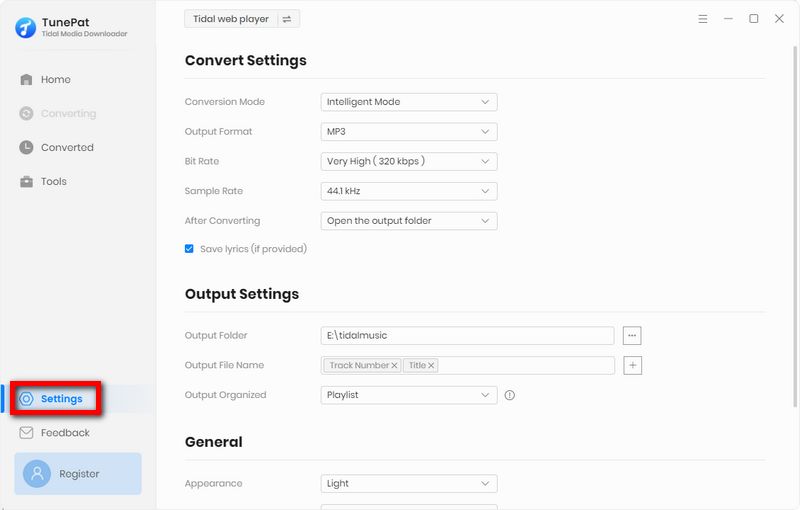
Click Settings on the left panel to customize your download preferences. You can choose the output format, bit rate, sample rate, saving location, and file organization options, such as Playlist, Artist, Album, Genre, Year, Disc Number, and more.
Step 3 Download TIDAL Music
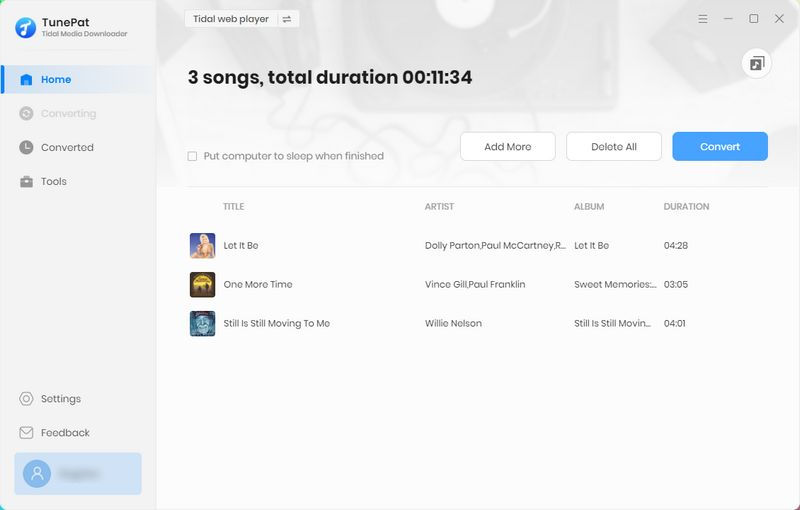
Go to the Music module and check the songs you want to download. Click the Convert button to start the process. Once completed, the TIDAL music files will be saved to your selected folder. You can then listen to them offline or transfer them to other supported devices.
Conclusion
Although TIDAL no longer offers a free plan, there are still several ways to enjoy its music without paying immediately. From the official free trial and partner offers to DJ promotions, these methods can help you explore TIDAL's high-quality music experience for a limited time. However, most free offers come with expiration dates, and access may end once the trial period or promotion is over.
If you want to keep your favorite TIDAL songs, listen offline, and play them on different devices, TunePat Tidal Media Downloader provides a more flexible option for managing your music library. Choose the method that fits your needs and enjoy TIDAL in the way that works best for you.


Olivia Anderson
Senior Writer