Top 10+ Safe YouTube to MP3 Download Sites
 By Olivia Anderson
YouTube Music Tips
Updated on 9/15/2026
By Olivia Anderson
YouTube Music Tips
Updated on 9/15/2026
As one of the world's largest video-sharing sites, YouTube is used by millions of people to watch and listen to content every day. As more people look for ways to convert YouTube videos to MP3 format for playback at any time, YouTube to MP3 download sites have become increasingly popular. With the help of these tools, people can easily download their favorite YouTube videos as MP3 files on computers, smartphones, and other devices.
However, what can't be ignored is the potential security risks. Since most free websites rely on ads, they may redirect users to malicious websites, trigger unnecessary downloads, and put users at risk of data theft. To solve this problem, we conducted a comprehensive review of the YouTube to MP3 downloaders on the market and summarized more than a dozen safe YouTube to MP3 download sites.
Part 1: TunePat Music One - Safe YouTube to MP3 Downloader
First, we need to recognize that there are no 100% secure YouTube to MP3 download websites. While intrusive ads and potential security risks are understandable for free tools that rely on ads for revenue, these sites also face risks such as sudden shutdowns and inaccessibility. Therefore, we would like to recommend a truly secure YouTube to MP3 downloader that is not only safe but also offers many other highlights.
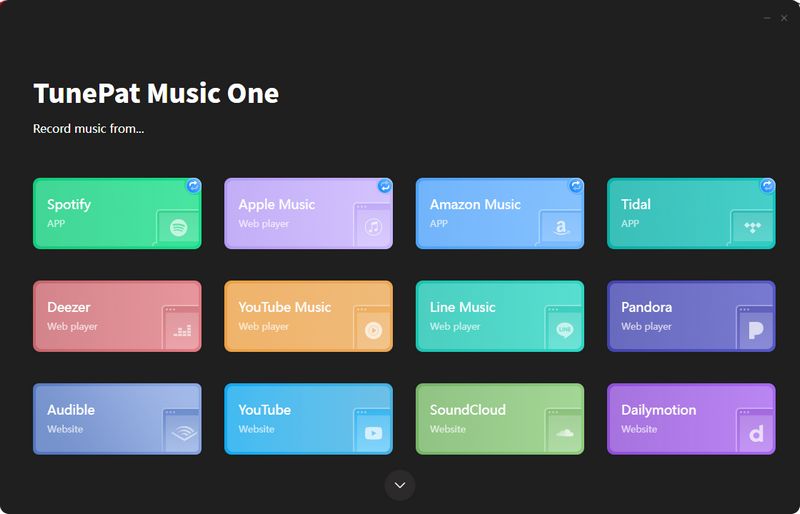
The recommended converter is TunePat Music One, an audio converter designed by a professional team. In addition to YouTube and YouTube Music, TunePat Music One supports popular platforms like Spotify, Apple Music, SoundCloud, Tidal, and Amazon Music. It also supports a variety of audio formats, including commonly used MP3, FLAC, AAC, WAV, ALAC, and AIFF. With this tool, you can easily batch parse and convert multiple YouTube videos or YouTube Music playlists to MP3 with one click, while preserving the original audio quality and important ID3 tags.
How to download YouTube MP3 songs using TunePat? You can click to jump to Part 3 to view it first.
Pros
-
 Supports downloading audio from YouTube or YouTube Music to six audio formats such as MP3.
-
Supports batch adding and converting multiple YouTube videos/playlists/albums at once.
-
Supports retaining the original sound quality.
-
Supports retaining important ID3 tags.
-
Supports naming and arranging output files in the way you like.
-
Much safer than most free online tools, with no ads and no security risks.
Cons
-
 Only available for Windows and Mac.
Part 2: Top 10+ Popular and Safe YouTube to MP3 Download Sites
There are many YouTube to MP3 download sites that can be searched on the Internet. In addition to some well-known ones, there are also some relatively niche ones. Their operation methods are similar, but the actual use experience will still be different. Here we help you evaluate the popular YouTube to MP3 download sites and summarize the usage methods, advantages and disadvantages, and recommendation levels.
⚠️ Some third-party websites may contain copyrighted material or unwanted pop-up ads. To protect your device, make sure your antivirus software is active. If you prefer a safer and fully legitimate solution, consider using TunePat Music One to convert music from official streaming services.
#1: CnvMP3 – Safe Download YouTube to MP3
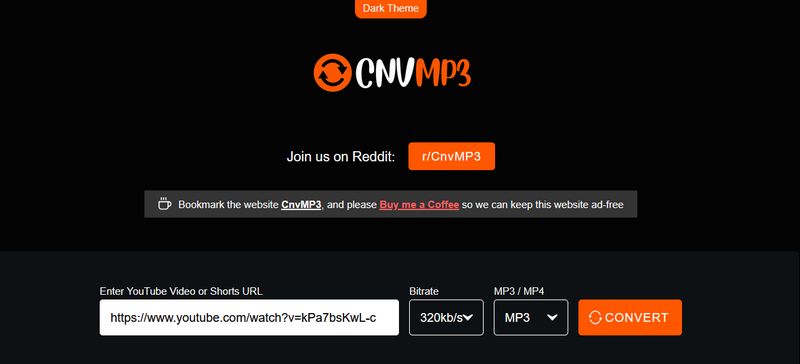
CnvMP3 is an online tool that supports users in downloading videos. With this tool, you can download YouTube to MP3 for free and safely, and then enjoy YouTube videos or audio offline on your favorite devices. In addition to YouTube, you can also switch to download videos from sources such as TikTok, Reddit, Ins, Facebook, etc. through the left navigation bar.
Step 1 Visit this website and copy and paste the URL you get.
Step 2 Click on the Bitrate and MP3/MP4 options and select what you want from the drop-down menu, such as 320kbps and MP3 respectively.
Step 3 Then click CONVERT and you will quickly get the MP3 file.
Editor's Real Test (June 2026) | Rating: ★★★☆☆
Pros
-
No obvious ads or redirects were found during testing. A donation channel exists, so users should exercise caution when payments are involved.
-
The page provides selectable bitrate and output format options.
-
The download response speed is fast. In our limited test (3 audio files), the download process completed in approximately 2 minutes.
-
Supports dark/light theme switching.
Cons
-
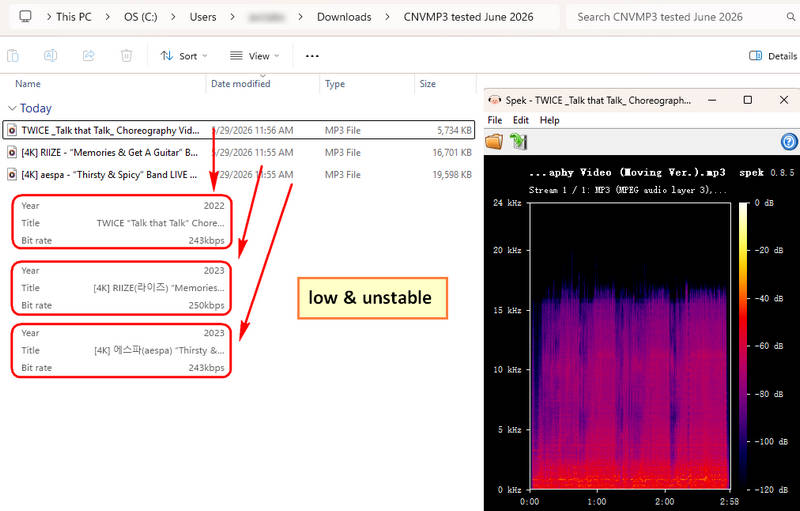
We tested 3 YouTube videos and none reached 320 kbps. The output quality was unstable.
-
Bulk parsing of URLs is not supported.
📕 You might also be interested in: Full CnvMP3 Review
#2: Loader.to – YouTube to MP3 Website
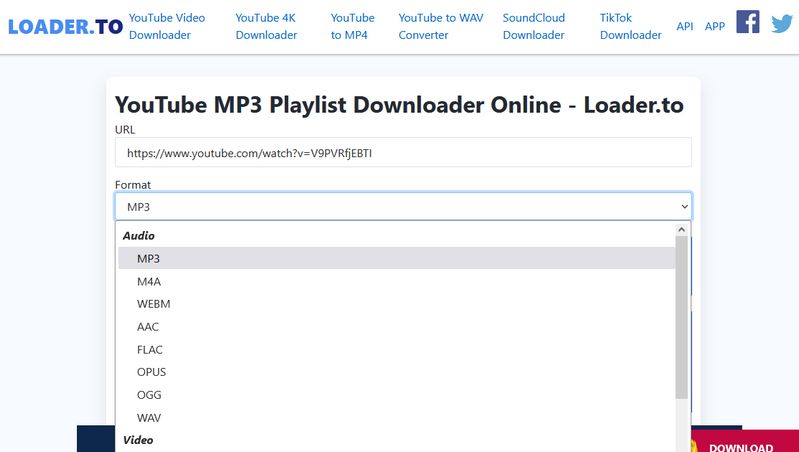
Loader.to is a free YouTube playlist downloader. Users can quickly access and download their favorite videos to common audio or video formats through browsers such as Google Chrome, Safari, Firefox, and Opera. In addition to YouTube videos, the site also supports downloading content from Vimeo, SoundCloud, Facebook, Twitter, and other websites.
Step 1 Copy and paste the YouTube video URL into the website, then select your desired output format. Click "Download". You will be redirected to a new page. Please close it and return to the original page.
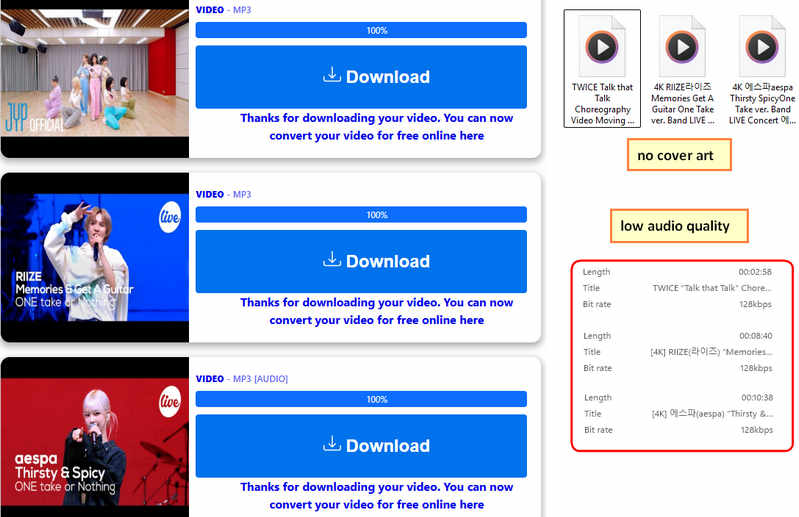
Step 2 You will see the information of the YouTube video you want to download below, click the Download button next to it.
Editor's Real Test (June 2026) | Rating: ★★☆☆☆
Pros
-
Supports a wide range of audio formats, such as MP3, M4A, WEBM, AAC, FLAC, OGG, WAV, etc.
Cons
-
Audio quality is not selectable, and we tested downloading 3 songs, all of which were 128kbps.
-
Download speed is unstable, but in our limited test (3 songs), it took 5 minutes to download.
-
There is a pop-up banner at the bottom, which cannot be closed, and you may accidentally click it.
-
Bulk parsing of URLs is not supported.
📕 You might also be interested in: Loader.to Review: Is It Safe & The Best YouTube Downloader?
#3: EzConv – Ad-Free YouTube Music Download Site
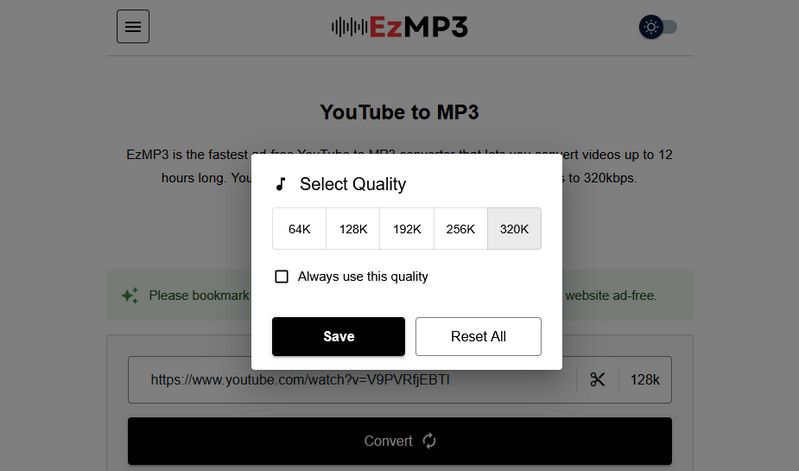
EzConv (Formerly EzMP3) is a safe YouTube to MP3 download site that allows users to convert their favorite videos to MP3. The site is completely ad-free. You won't see any junk, spam, or pop-up ads on this site. You can trim the audio and choose the bitrate from 64kbps to 320kbps.
Step 1 Get the URL of the YouTube video you want to download from YouTube, then paste it into this box, select the Quality you prefer, and click the "Convert" option.
Step 2 Click "Download MP3", wait for the website to parse the link, and then select the "Download MP3" button.
Editor's Real Test (August 2026) | Rating: ★★★★☆
Pros
-
The interface is ad-free and safe to access.
-
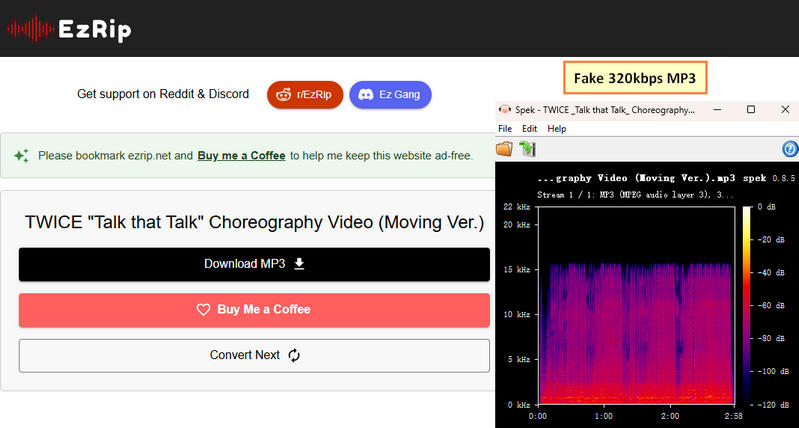
Downloads can reach true 320 kbps audio quality.
-
Fast download speed. In our test involving 3 tracks, the download process finished in approximately 2 minutes.
Cons
-
Bulk parsing of URLs is not supported.
📕 You might also be interested in: EzMP3 Review & Top Alternatives
#4: Y2Mate – Free YouTube Music to MP3 Download Site
Y2Mate is a free YouTube to MP3 download website. In addition to MP3, it also supports MP4 conversion. However, there are limitations: MP3 files are capped at a maximum length of 240 minutes, while MP4 files are limited to 30 minutes. Additionally, the site states that MP3s are provided at 192 kbps and MP4s at 360p.
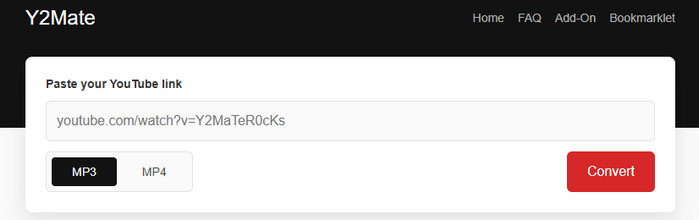
Step 1 Paste the URL of the YouTube video you want to download into the input box. Select the desired download format, such as MP3.
Step 2 Click "Convert", and the website will automatically begin parsing. Once parsing is complete, the music will be automatically downloaded to your local folder.
Editor's Real Test (June 2026) | Rating: ★★★☆☆
Pros
-
Convert YouTube to MP3 format with one click.
-
The download speed is high. Based on our trial of three songs, the total time was close to two minutes.
Cons
-
The tool does not support bulk URL processing.
-
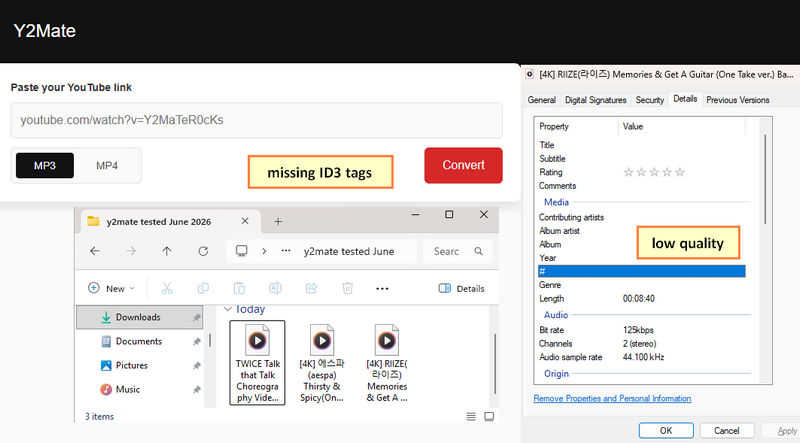
The sound quality is not only poor, but also unstable and random.
📕 You might also be interested in: Y2Mate Review: Safe or Risky?
#5: YTMP3 – Quickly Download YouTube Video to MP3
YTMP3 is an online YouTube to MP3 downloader that allows you to easily get audio files from YouTube and save them in MP3 or MP4 format. It is easily accessible and works on desktops, tablets, and mobile devices without any additional software.
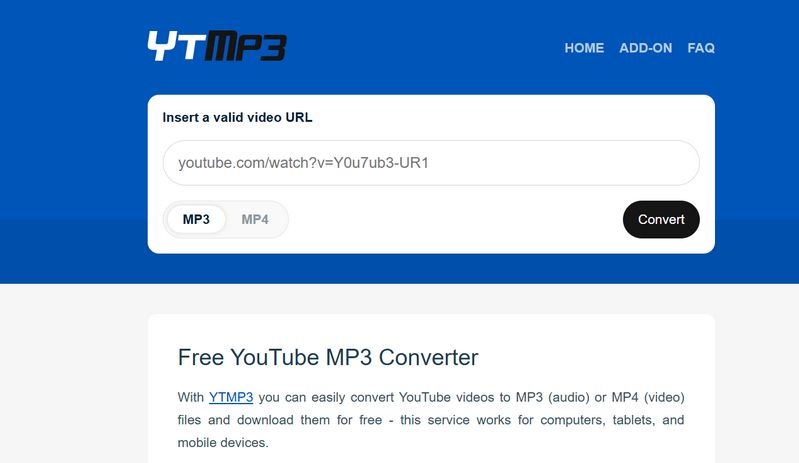
Step 1 Go to the YTMP3 website in your browser, copy and paste the URL of the YouTube video into the box, select the output format as MP3 below, and then click Convert.
Step 2 After the parsing is completed, you will see the words conversion completed. Click the Download button below, and a new page will jump. Ignore it, just close it, and then wait for the MP3 download to complete.
Editor's Real Test (June 2026) | Rating: ★★☆☆☆
Pros
-
Supports both MP3 and MP4 conversions, providing flexibility for different download needs.
-
The website has a clean, ad-free interface, making it easy to navigate without distractions.
Cons
-
May encounter redirects during the conversion process.
-
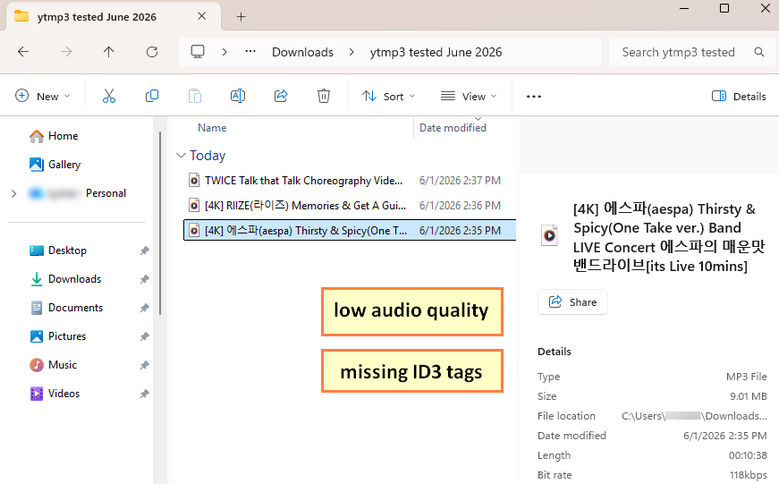
Downloaded files do not retain original ID3 tags.
-
The service can be unreliable at times. The domain changes occasionally, and the web may suddenly stop working.
-
The audio quality varied greatly in our tests. We downloaded 3 songs, each at a different bitrate, and all were significantly lower than the source. The lowest bitrate was only 118 kbps.
📕 You might be also interested in: The full YTMP3 Converter Review
#6: FLVTO – Get YouTube to MP3 in One Click
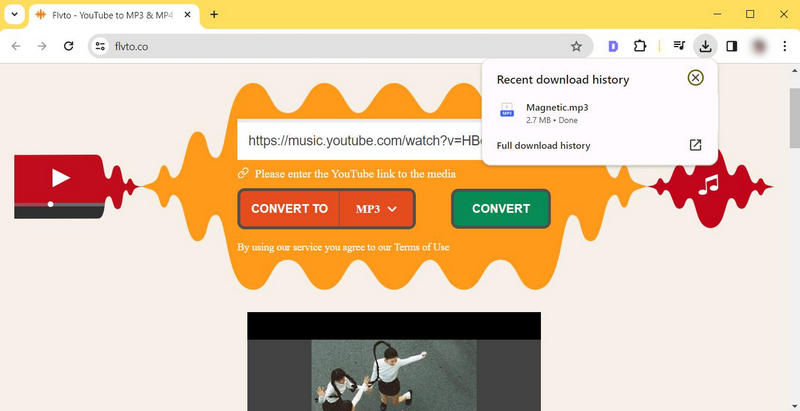
Flvto is a reliable and convenient YouTube to MP3 converter tool. Users can quickly download videos from YouTube to MP3 format with a few clicks. In addition, it also has the function of searching music directly by name or title.
Step 1 Copy and paste the link of the YouTube video you want to convert to MP3 format, paste it in the specified location, and click CONVERT.
Step 2 Then click DOWNLOAD to start the download process.
Editor's Real Test (June 2026) | Rating: ★☆☆☆☆
Pros
-
Supports multiple output formats, including MP3, MP4, and M4A.
Cons
-
Requires passing a Cloudflare verification check before use.
-
Does not support playlist or album parsing.
-
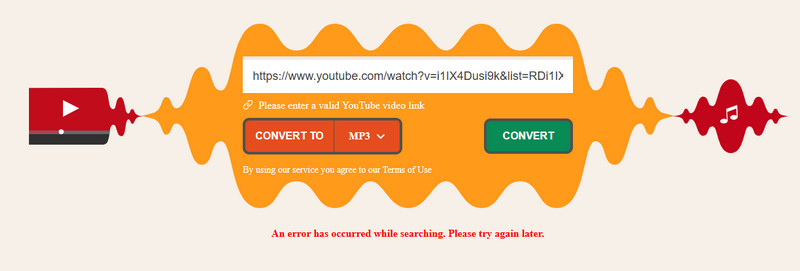
During testing, we frequently encountered conversion errors and download limit warnings, even on a first-time visit. While the service still appears to be operational, the overall user experience was inconsistent.
#7: X2mate - Download YouTube Video for Free
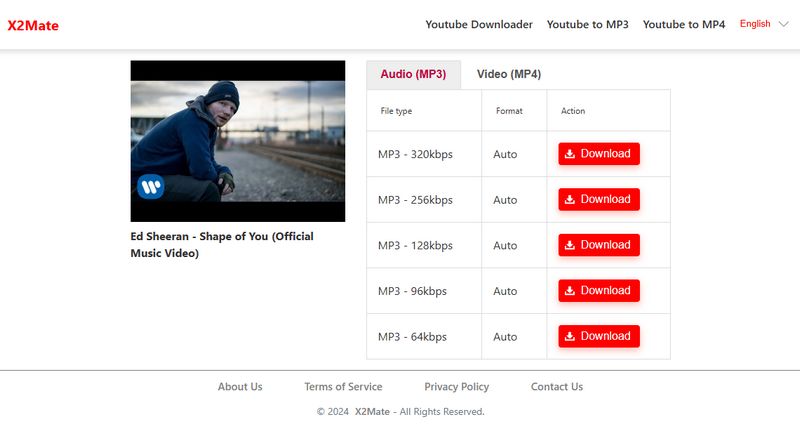
X2Mate is a powerful online YouTube video downloader that allows you to download and convert videos to MP3, MP4, and other formats. It works on any device without installation or registration, ensuring fast and secure access to your favorite content.
Step 1 Paste the YouTube URL into the search box; the link will be parsed automatically.
Step 2 Select MP3 - 320kbps and click the Download button.
Step 3 On the new page that opens, simply click the Download Now button to get your file.
Editor's Real Test (June 2026) | Rating: ★☆☆☆☆
Pros
-
Automatically detects and parses supported links.
-
Supports both MP3 and MP4 downloads, with multiple audio quality options available.
Cons
-
Each download action may trigger a page redirection, and accidental clicks could expose users to potentially unsafe or misleading websites.
-
Downloaded filenames contain unnecessary information, such as "- artist name (youtube)".
-
Playlist and album URLs are not supported, limiting downloads to individual tracks.
-
Although the service offers a 320 kbps option, our testing found that the actual audio quality did not consistently match the advertised bitrate.

#8: mp3ify – Download MP3 from Most Popular Sites
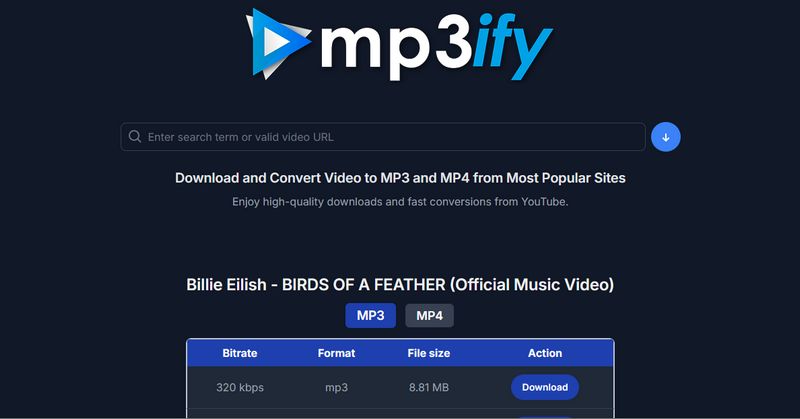
Mp3ify is a site that supports downloading videos from multiple popular websites in MP3 or MP4 format. It has a simple and user-friendly interface.
Step 1 Paste the URL of the YouTube video into the box, and the website will automatically start parsing. It can be downloaded in MP3 or MP4 format. Click the Download button to download the file of the sound quality you need.
Step 2 Then you will see a pop-up window showing the basic information of the video and the conversion progress bar. After the conversion is completed, click the green Download button.
Editor's Real Test (June 2026) | Rating: ★★☆☆☆
Pros
-
The interface is clean and easy to navigate, with no intrusive banners or excessive advertising.
-
Supports downloading by searching for song titles or keywords.
Cons
-
Although the service claims to support over 1,000 websites, it does not specify which platforms it actually supports.
-
File names automatically include extra bitrate labels such as "(320 kbps)".
-
Unregistered users face several restrictions, including a 10-minute video length limit, daily conversion caps, and a maximum audio quality of 128 kbps.

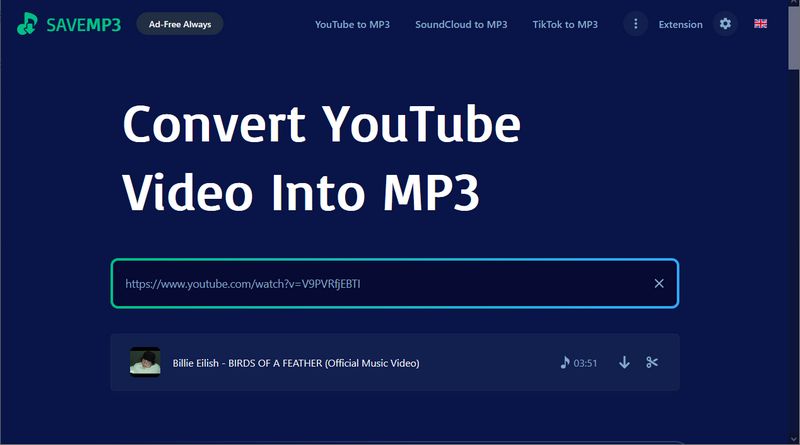
#9: SAVEMP3 - Convert YouTube Video into MP3
SAVEMP3 YouTube to mp3 converter is also a safe download site. Users can convert their favorite YouTube videos to MP3 files that can be saved forever. The operation is simple and it only takes a few seconds to convert any paid song. In addition to YouTube, the site also supports converting videos from sources such as TikTok, SoundCloud, Vimeo, VK, Dailymotion, etc.
Step 1 Visit this website and paste the YouTube video link you copied. Usually, you will be asked to complete the verification. After the verification is successful, the link will be automatically resolved.
Step 2 Find the Download MP3 icon. Click it to download the YouTube video you want.
Editor's Real Test (June 2026) | Rating: ★★★☆☆
Pros
-
Automatically detects and parses supported links.
-
Preserves some metadata in downloaded files, although album artwork is not included.
-
It is friendly to people from different countries and regions, and supports a variety of languages, a total of 24, including French, Spanish, German, Italian, Japanese, etc.
Cons
-
Verification must be completed again every time the page is refreshed.
-
Audio quality cannot be selected manually and is limited to 128 kbps.
-
Special symbols in original file names are removed and replaced with spaces.
-
Users without the browser extension are limited to three downloads per hour.
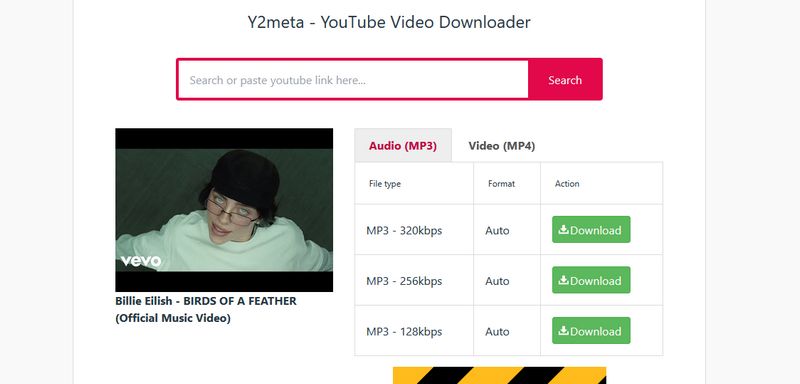
#10: Y2meta - YouTube Video Downloader
Y2meta is an online tool focused on YouTube video downloading. It supports free and fast downloading of videos and audio from YouTube in multiple formats and high-definition quality. Users can download multiple formats including MP3, MP4, WEBM, WMV, 3GP, etc., and supports up to 8K resolution. Just enter the YouTube video link or keyword, select the format, and then convert and download the file.
Step 1 Paste the link of the target video into the box. After the automatic parsing is completed, select the Audio (MP3) column, select the file type you want, such as MP3 - 320kbps, and then click Download.
Step 2 Click Download Now in the pop-up window.
Editor's Real Test (June 2026) | Rating: ★★☆☆☆
Pros
-
No software installation is required, easy access.
-
Can download files by entering YouTube video links or keywords.
Cons
-
The interface contains advertisements, and each download may trigger redirects to third-party sites.
-
During testing, we encountered several conversion errors.
-
The service is unstable, frequently changing domains.
-
The downloaded files were advertised as 320 kbps, but spectrogram analysis indicated they were not genuine 320 kbps audio and appeared to have been transcoded from lower-bitrate sources.

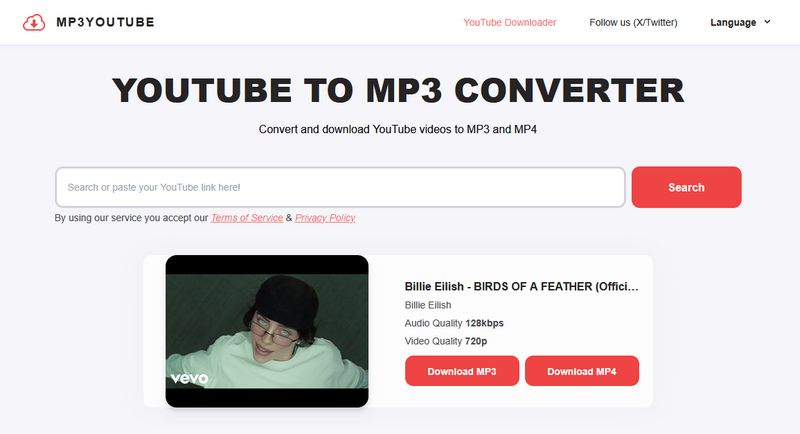
#11: MP3YT – Simple YouTube to MP3 Converter
MP3YT is one of the safe YouTube to MP3 converter and downloader. With a user-friendly, easy-to-use interface, users can access and get the desired mp3 music files in just a few seconds. Users do not need to download any software or have any account.
Step 1 Visit the website and you can search for keywords, such as video names, etc. You can also directly copy the link of the target video for parsing.
Step 2 After parsing, you can see two buttons, Download MP3 and Download MP4, and the audio and video quality provided is marked in the box. Select Download MP3 option.
Editor's Real Test (June 2026) | Rating: ★★★★☆
Pros
-
Automatically detects and parses supported links.
-
Download performance is relatively fast. In our testing, 3 songs were downloaded in approximately 1 minute.
-
Support multiple languages, including English, German, Portuguese, Spanish, Indonesian, and French.
-
The website displays its most recent update date, providing some transparency regarding maintenance and development activity.
-
Higher audio quality than most competitors.
Cons
-
Downloaded files do not retain metadata or album artwork.
-
Batch downloading is not supported.

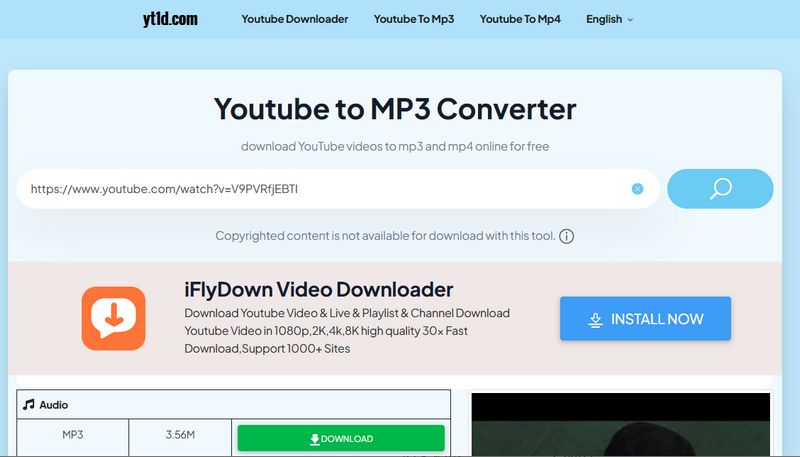
#12: yt1d.com – Rip Music from YouTube Videos
YT1D is a free online YouTube to MP3 converter that can convert and download YouTube videos to MP3 files directly on your device. Users can quickly get their favorite YouTube files without registration or payment.
Step 1 Visit this website and paste the YouTube URL, and it will automatically start parsing.
Step 2 Once parsed, find the Audio column and click the DOWNLOAD button next to it.
Step 3 Then you will see a pop-up window, select DOWNLOAD NOW.
Editor's Real Test (June 2026) | Rating: ★★☆☆☆
Pros
-
Offers a wide range of audio and video quality options.
-
Downloads can reach true 320 kbps audio quality.
Cons
-
The download process is more complicated than most alternatives. Downloading a single track typically requires multiple clicks, and verification must be completed before each download, making the overall process slower and less convenient.
-
The website contains advertisements for other tools and may trigger redirects to external pages.
-
Downloaded files do not retain metadata or album artwork.
-
Bulk parsing or downloading of multiple URLs is not supported.

Part 3: How to Batch Download Music from YouTube to MP3 Files
The following section will cover the specific use of the safest YouTube to MP3 downloader that we mentioned in Part 1. With this tool, we can batch download favorite YouTube videos to MP3 very easily. If you don't have this tool yet, click the button below to download and install it.
If you want to get free YouTube Premium, here are 5 effective ways to do it.
Step 1 Install and run TunePat Music One. The main interface displays the platforms supported by the program. Click the "YouTube" tab. In the pop-up window, follow the on-screen instructions to log in to your YouTube account. This can be a free account or a Premium account.
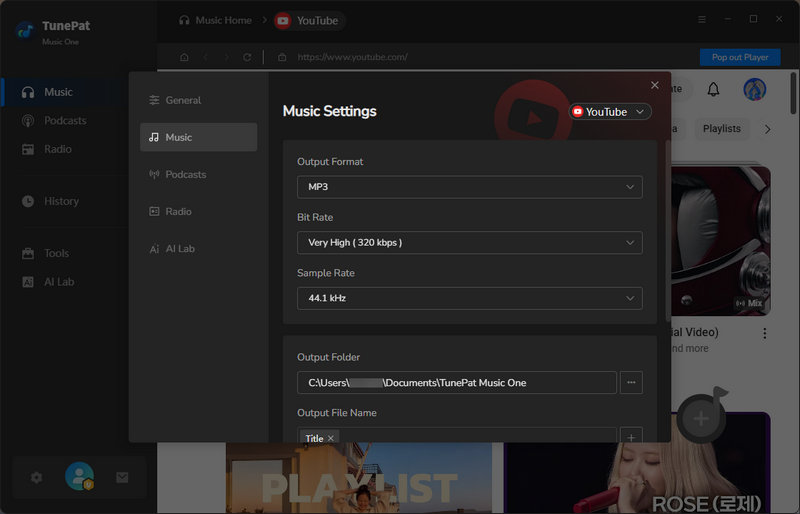
Step 2 Before downloading YouTube to MP3, navigate to the "Settings" window to customize essential output parameters, such as output format, bit rate, sample rate, output folder, output file name, and more.
Surprisingly, TunePat allows you to customize the output file name the way they like. You can freely combine {Track Number}, {Title}, {Artist}, {Album}, {Year}, or {Playlist Index} to name your YouTube MP3 file. Once configured, return to the YouTube window.
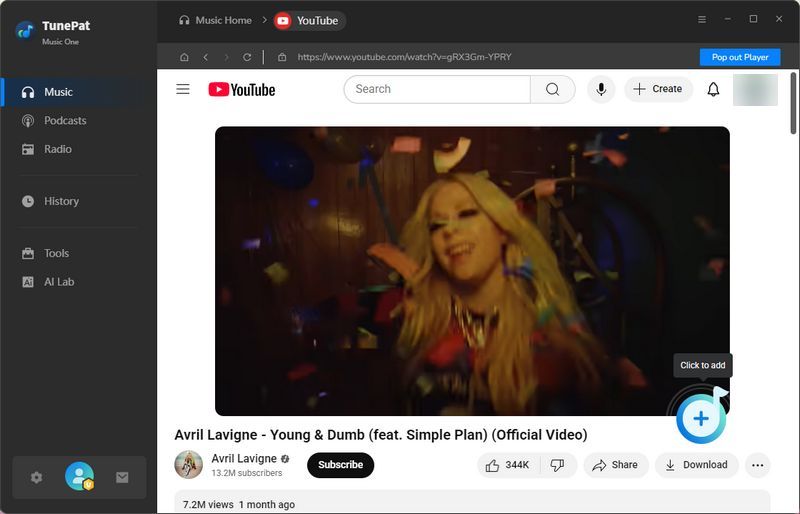
Step 3 To download music from YouTube to MP3, open the desired video, click "+" at the bottom right to analyze it, then select "Add" to proceed.
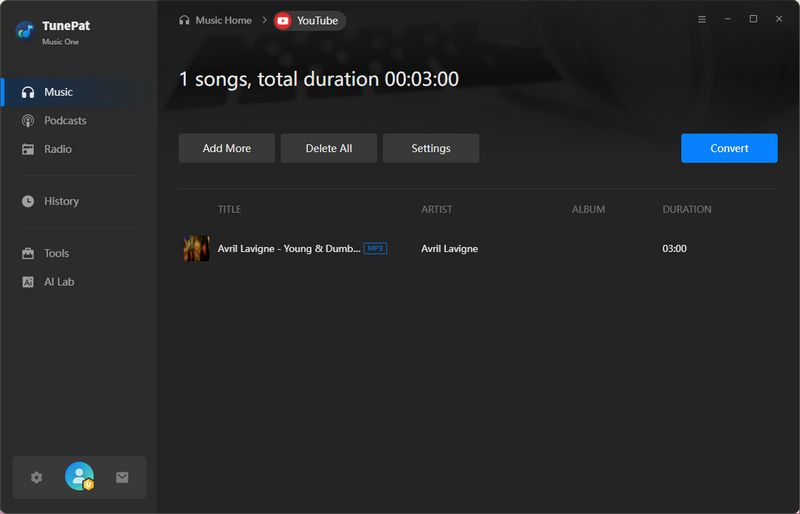
Step 4 Want to batch download music from YouTube to MP3 files? Click "Add More" on the same page, repeat the steps above to analyze and add additional videos, and click "Convert" to start the one-click conversion process.
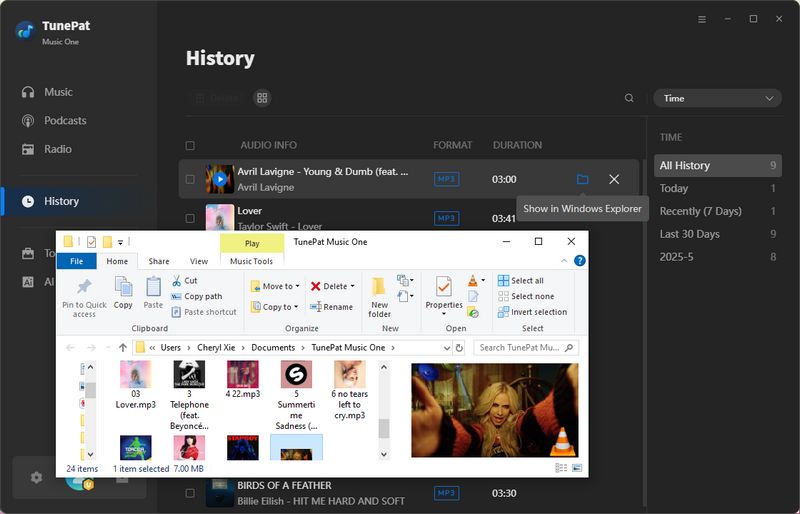
Step 5 Once complete, the output folder will automatically open, where you'll find your favorite YouTube videos exported as high-quality MP3 files. The entire process is simple, secure, and ad-free. You can now transfer YouTube songs to Android phone, USB drive, or any other device for offline playback.

Part 4: FAQs About YouTube to MP3 Download Sites
Q1: Can I download YouTube audio without the software?
A: Yes, you can download music from YouTube using the online tools mentioned above. One of the advantages of these online YouTube to MP3 download sites is that they are easily accessible. You can access and use them through any browser on your computer, mobile phone, tablet, and other devices.
Q2: Are these YouTube to MP3 download sites safe to use?
A: While the online tools above claim to be virus-free and safe, these free YouTube to MP3 download sites often contain intrusive ads or data collection practices.
Q3: Is Y2Mate safe to use?
A: We found some discussions about this on Reddit. In summary, as long as you don't click on ads and only download YouTube videos, it is safe. However, annoying ads bring potential risks. To avoid risks, users are advised to use ad blockers or switch to TunePat Music One.
Q4: Is YTMP3 shut down?
A: YouTube to MP3 download sites may be inaccessible due to violations of YouTube's terms of service and policies. Such tools may frequently change their URLs. You can search Google for the latest available links. If you want to avoid the hassle of the site being shut down, it is recommended that you use the safer TunePat Music One.
Q5: What is the safest site to download music from YouTube?
A: In our tests, some tools offered a smoother experience than others and even provided ad-free access. However, many free websites still rely on advertising, frequent domain changes, or inconsistent maintenance. As a result, their user experience, availability, and overall reliability may change over time. In contrast, dedicated desktop software such as TunePat Music One is generally a safer and more stable alternative.
Conclusion:
After reading this article, you now have a clear understanding of the basics, usage methods, and pros and cons of these 10+ YouTube to MP3 download sites. As you may know, while most of these sites contain ads, they are generally free to use. You can access them through any browser, which is highly convenient for users.
However, these sites also come with drawbacks that cannot be overlooked. We must remain vigilant to avoid malicious, virus-infected spam sites from compromising our computers. Beyond selecting reliable YouTube to MP3 download sites or employing ad blockers, there is an even better alternative: TunePat Music One, the safest YouTube to MP3 downloader. This tool saves significant time and effort, enabling you to batch-download music from YouTube to MP3 quickly. It also supports other popular platforms, effortlessly fulfilling all your music needs in one step! Hope this article proves helpful to you.
Olivia Anderson
Senior Writer