Apple Music is one of the most popular music streaming services in the world, offering access to over 100 million songs, exclusive playlists, live radio stations, and high-quality audio features. With an Apple Music subscription, users can stream music online, download songs for offline listening within the app, and enjoy an ad-free listening experience.
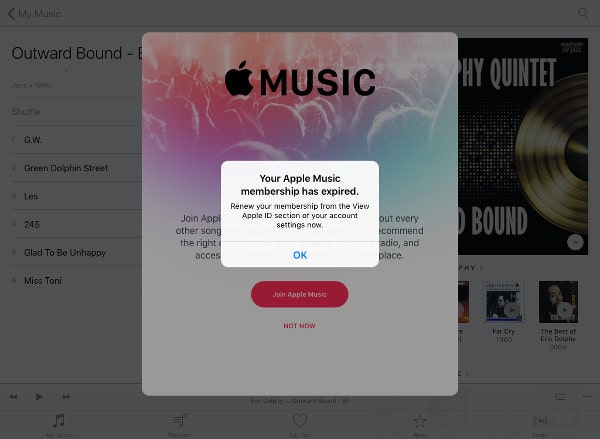
However, if you stop subscribing to Apple Music, you will lose access to play the songs you've added or downloaded from Apple Music. This is because Apple Music downloads are protected files that are tied to an active subscription and can only be played within the Apple Music app. Even if the songs are stored on your device, they will become unavailable once your subscription ends. So how can you keep your Apple Music tracks playable after canceling your subscription? This article will show you the possible solutions.
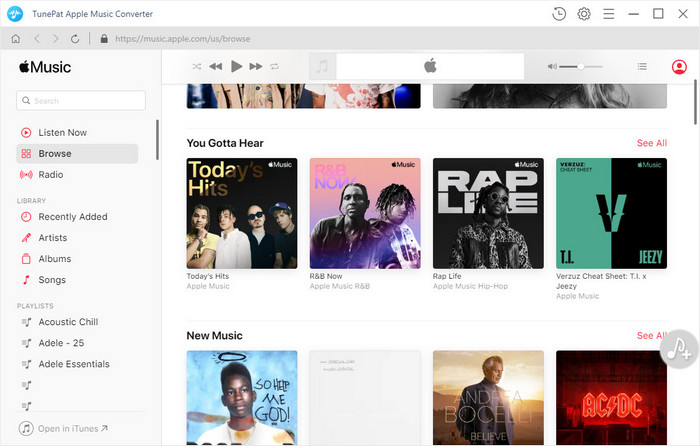
To make Apple Music songs playable after the subscription ends, we need to convert the songs to the plain format using a professional tool -- TunePat Apple Music Converter. It looks like an Apple Music web player; you can stream music online and download music from it directly. TunePat Apple Music Converter has the ability to convert Apple Music to MP3, AAC, WAV, AIFF, ALAC, and FLAC format at a fast speed. With the unique decoding technology, TunePat Apple Music Converter can help you get Apple Music songs with the original audio quality and ID3 tags kept. Once the music is converted, it will not disappear from your device even if your subscription is canceled.
Key Features of TunePat Apple Music Converter

TunePat Apple Music Converter
Before you begin, ensure that you've downloaded the latest version of TunePat Apple Music Converter. Upon launching the program, you'll encounter two choices on the opening interface, representing two conversion modes: iTunes (App) and Apple Music (Web Player). Here's a breakdown of the main distinctions between these two modes:
◉ iTunes (App) Mode: This mode facilitates the extraction of Apple Music songs, podcasts, iTunes M4P music files, and audiobooks directly from your iTunes library. On Mac, this mode ensures the retention of the highest Apple Lossless sound quality.
◉ Apple Music (Web Player) Mode: In this mode, the Apple Music web player is integrated, allowing you to directly select music for conversion. This approach is both convenient and highly efficient, delivering speeds of up to 10X faster.
Step 1Add content from the Apple Music library or iTunes
Adding Audio Files from iTunes: Upon selecting the iTunes entrance, the Home page displays a "+ Add" button. Click on it to reveal a pop-up window mirroring your iTunes contents. Here, you'll find music, audiobooks, playlists, and more available for conversion. Simply browse, select your desired items, and click "OK".
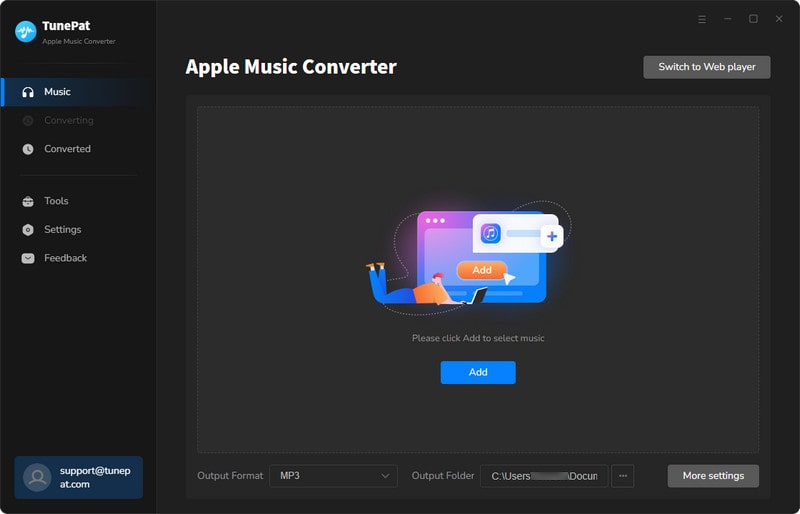
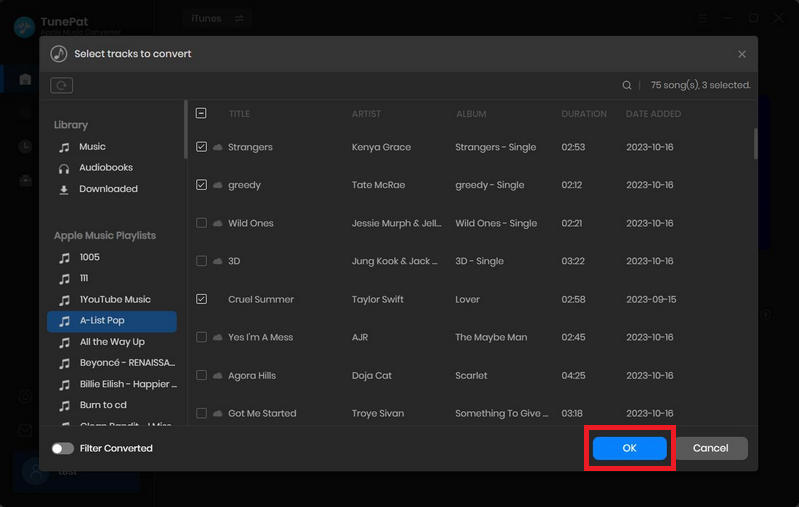
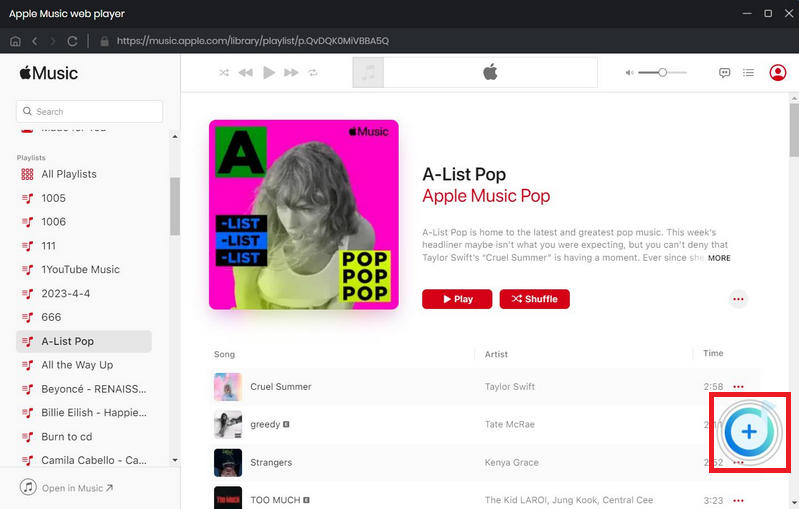
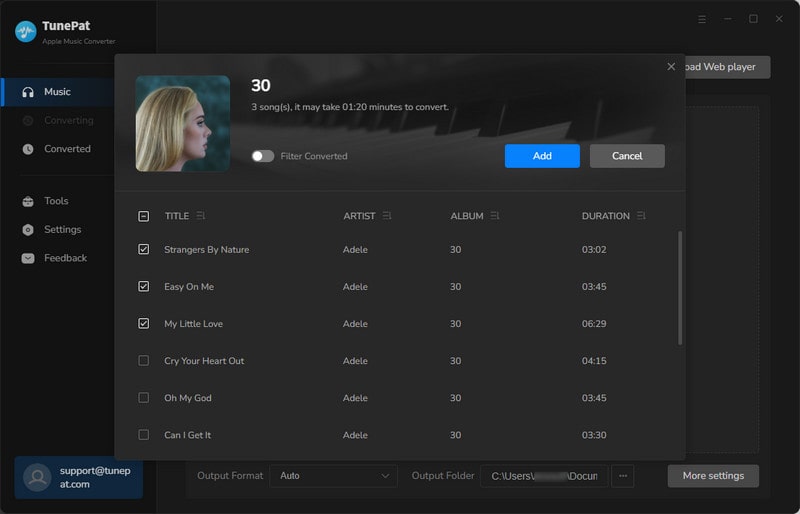
Adding Songs from Apple Music Web Player: Opting for the Web Player conversion mode presents TunePat's built-in Apple Music web player window. Following provided instructions, log in to your Apple ID, explore your library, and select what you need. Click the "+" button, tick titles in the pop-up, and choose "Add" to proceed.
Step 2Set to export Apple Music to lossless or lossy formats
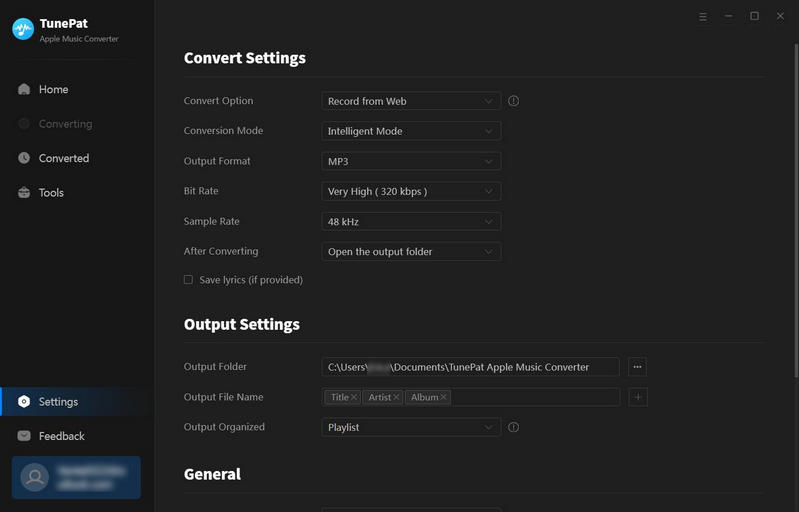
The subsequent step involves tapping the "Settings" icon. This enables you to establish output preferences, including format (Auto, MP3, AAC, WAV, FLAC, AIFF, and ALAC), audio quality, download location, and file organization by criteria like Playlist, Artist, Album, and more.
Step 3Convert Apple Music to a local computer for storage
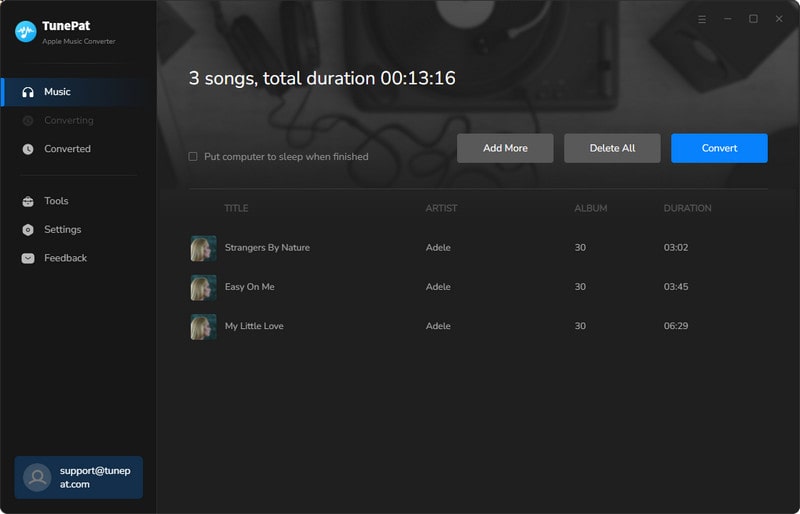
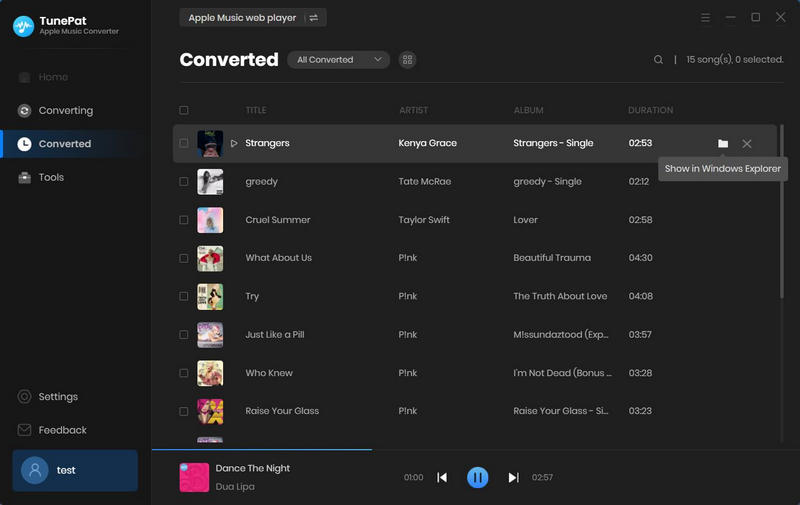
Proceed by clicking "Convert" on this interface to obtain your chosen Apple Music tracks in a common format. Upon conversion completion, utilize the "History" button to review your conversion history. Furthermore, by clicking the "Show in Windows Explorer" button beside any song, you can locate its specific directory in the local folder.
You now possess the locally downloaded Apple Music files. With this in hand, relish your favorite tunes whenever and wherever you desire, unaffected by geographical constraints, time limitations, or subscription status to Apple Music.
TunePat Apple Music Converter offers a swift solution to acquire unaltered audio files from Apple Music, granting you the freedom to enjoy them conveniently and flexibly. By proficiently converting Apple Music songs into prevalent formats such as MP3, AAC, WAV, FLAC, AIFF, or ALAC, TunePat ensures the perpetually accessible playback of the converted music, even if you choose to discontinue your subscription.
What You Will Need
New Release


Hot Tutorials